
There are 28 SEO tools evaluated in this guide across 7 categories: all-in-one platforms, AI SEO, free tools, technical crawlers, content optimization, self-hosted, and keyword research. Semrush, Ahrefs, and Google Search Console rank as the top tools for competitive research, backlink analysis, and first-party search data, respectively, with tools ranging from $0 to $499.95/month to improve search rankings across every SEO workflow.
The following table compares 28 SEO tools across 5 categories by primary use case and starting price.
| # | Tool | Category | Best use case | Our score | Visit tool |
|---|
Semrush ranks as the top all-in-one platform; Google Search Console is the top free pick.
The 6 top-rated SEO tools in 2026 by primary use case are:
- Ranks keywords across 190 countries with a 27.9-billion-keyword database (Semrush)
- Indexes 35 trillion backlinks with 15-minute refresh intervals (Ahrefs)
- Tracks rankings across 5 search engines with daily updates for $65/mo (SE Ranking)
- Provides Google's first-party search performance data at zero cost (Google Search Console)
- Analyzes 500+ ranking factors for content optimization starting at $79/mo (Surfer SEO)
- Crawls websites for 50+ technical SEO issue types up to 500 URLs at no cost (Screaming Frog)
How Were These SEO Tools Tested?
These 26 SEO tools were evaluated across 7 criteria using hands-on testing over 4 weeks.
Evaluation Criteria
There are 7 criteria used to evaluate each SEO tool, including keyword database size, pricing transparency, and ease of use for non-technical users.
- Keyword database size
- Pricing transparency across all tiers
- Ease of use for non-technical users
- Feature depth for professional workflows
- AI integration and automation capabilities
- Data accuracy vs. Google Search Console baseline
- Free plan or trial availability
Testing Methodology
Each tool was tested across 5 dimensions using hands-on evaluation over 4 weeks.
- Tested keyword tracking accuracy against Google Search Console data
- Evaluated backlink database size against Ahrefs baseline
- Compared pricing tiers with features available at each level
- Assessed UI/UX using a beginner onboarding scenario
- Reviewed G2 and Capterra ratings (cited inline)
What Are the Best All-in-One SEO Platforms?
There are 4 all-in-one SEO platforms in this category, including Semrush, Ahrefs, SE Ranking, and Moz Pro.
The following table compares the 4 all-in-one SEO platforms on database size, price, and primary use case.
| Tool | Best for | Keyword DB size | Starting price/mo | Free trial |
|---|---|---|---|---|
|
Semrush
|
Competitive research |
27.9 Billion
|
$139.95 | 7 days |
|
Ahrefs
|
Backlink analysis |
28.7 Billion
|
$129 | No trial |
|
SE Ranking
|
Value & automation |
3.5 Billion
|
$65 | 14 days |
|
Moz Pro
|
Beginners & domain authority |
500 Million
|
$49 | 30 days |
Semrush leads on tool breadth; SE Ranking offers the lowest entry price with the longest no-credit-card trial. For enterprise and agency needs, these platforms scale accordingly.
1. Semrush - Best for Competitive Research
Semrush is an all-in-one SEO platform that tracks keywords across 190 countries, with a 27.9-billion-keyword database and a 43-trillion-link backlink index, used by 10 million marketers worldwide (Semrush.com, 2026).
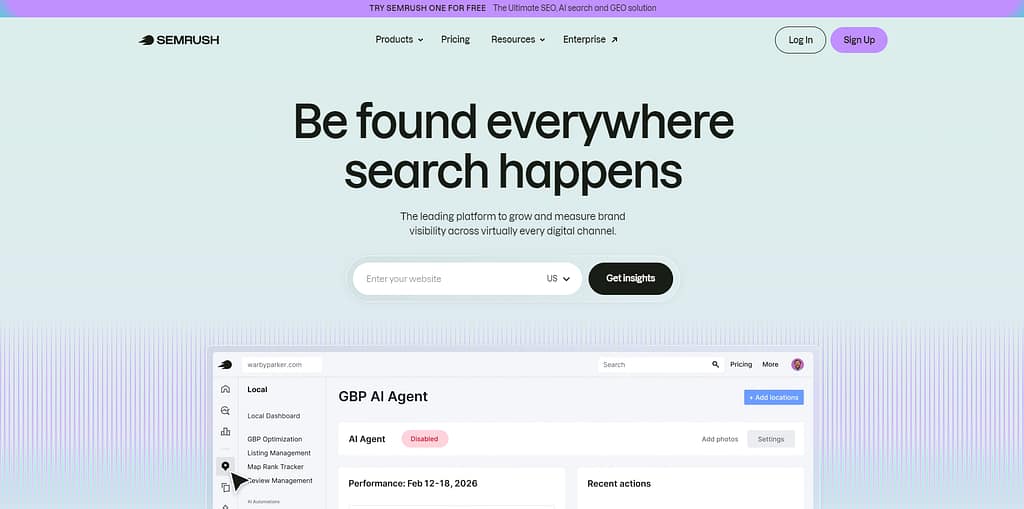
Semrush covers keyword research, rank tracking, backlink analysis, site auditing, content marketing, and paid advertising in a single platform. Semrush holds a G2 rating of 4.5/5 from 3,424 verified reviews and a Capterra rating of 4.6/5 from 2,314 reviews (G2, Capterra, 2026). Semrush was founded in 2008, is headquartered in Boston, Massachusetts, and trades on the NYSE under the ticker SEMR.
Semrush's 5 primary SEO functions are:
- Tracks keyword positions across 190 countries with daily rank updates
- Audits technical SEO across 100,000 pages per month on the Pro plan
- Analyzes competitor organic traffic using SemrushBot's own crawler
- Monitors 43 trillion backlinks with domain-level Authority Score (AS) metrics
- Reports content performance via the Semrush AI Copilot assistant
The following image compares Semrush's 3 paid plans. Semrush provides 10 free searches per day on a freemium basis; a 7-day trial is available on Pro and Guru plans.
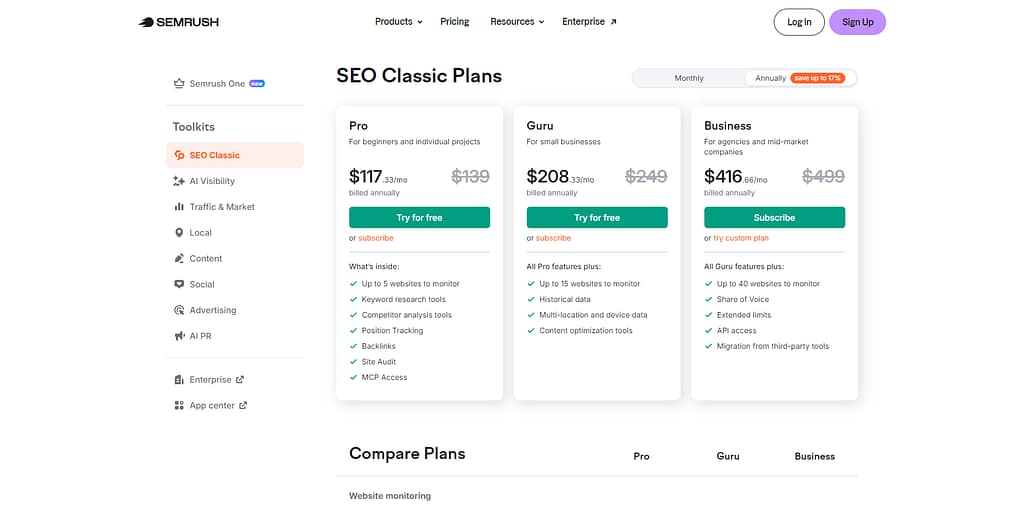
The Pro plan covers individual SEO tasks; Business suits agencies managing 5+ client projects.
Semrush strengths: Semrush's Keyword Magic Tool covers 27.9 billion keywords across 55+ tools in 5 core categories. Semrush Copilot automates SEO action recommendations based on live site data. Semrush daily rank tracking refreshes every 24 hours, exceeding Ahrefs' weekly default on base plans.
Semrush limitations: Semrush uses Google data only — Bing and Yahoo keyword data are excluded from research tools. Semrush's learning curve requires 2–3 hours of onboarding before completing a first audit. Semrush Pro at $139.95/mo provides no API access and no historical data.
For agencies: Semrush's Agency Toolkit manages unlimited client projects with white-label reporting on the Business plan. For beginners: Semrush's guided setup walks new users through a first Site Audit in under 30 minutes, making it easier to evaluate against alternatives like the Semrush vs Ahrefs comparison.
2. Ahrefs - Best for Backlink Analysis
Ahrefs is an all-in-one SEO platform with a 28.7-billion-keyword database and a 35-trillion-backlink index refreshed every 15–30 minutes, used by teams at Netflix, Facebook, and Shopify (Ahrefs.com, 2026).
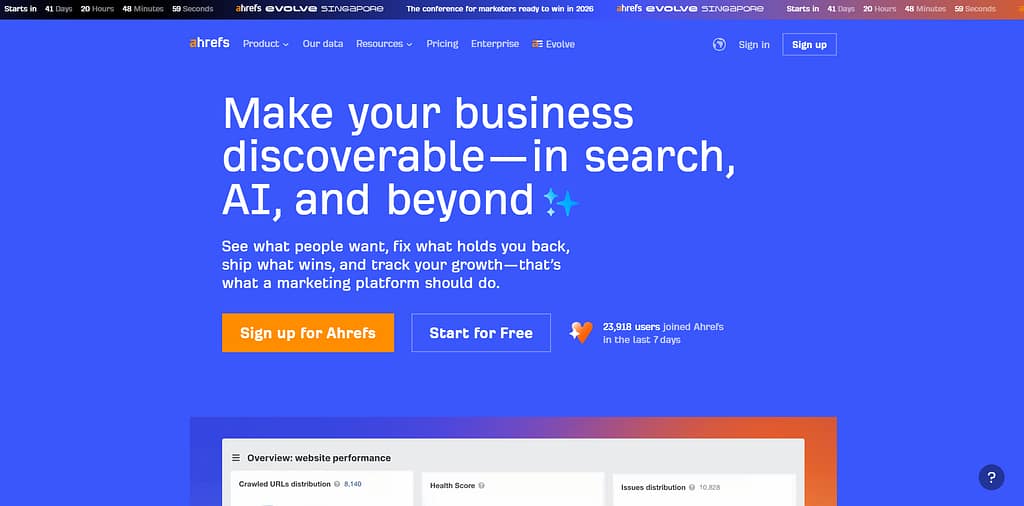
Ahrefs' Site Explorer provides full organic traffic analysis, backlink profile auditing, and competitor keyword gap identification. Ahrefs holds a G2 rating of 4.5/5 from 1,124 verified reviews and a Capterra rating of 4.7/5 from 876 reviews (G2, Capterra, 2026). Ahrefs was founded in 2010 and is headquartered in Singapore. Ahrefs' Domain Rating (DR) and URL Rating (UR) are the most cited backlink authority metrics in the SEO industry.
Ahrefs' 4 core SEO research tools are:
- Crawls 35 trillion backlinks with 15-minute index refresh intervals
- Researches keywords across 10 search engines including Google, YouTube, Amazon, and Baidu
- Audits websites for 140+ technical SEO issues via Site Audit
- Tracks keyword rankings across 190 countries with SERP feature data
The following image compares Ahrefs' 3 paid plans. All plans include 1 user seat by default on Lite and Standard; no free trial is available.
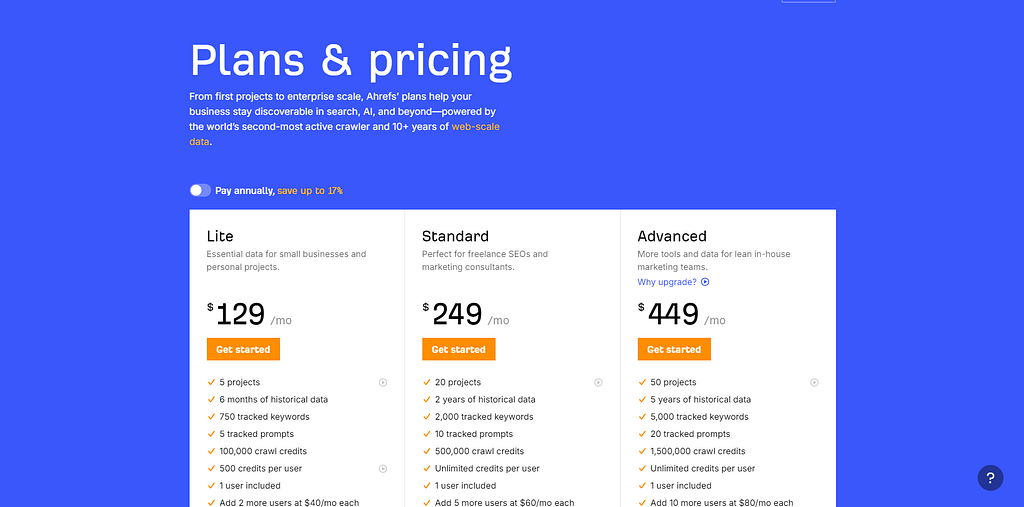
Ahrefs Standard covers the core backlink and keyword research workflow for independent consultants.
Ahrefs strengths: Ahrefs' Site Explorer provides the industry's most comprehensive view of any domain's backlink profile. Ahrefs' Content Explorer indexes billions of web pages to identify top-performing content by link and traffic volume. Ahrefs Webmaster Tools (AWT) provides free Site Audit access for verified site owners on any plan.
Ahrefs limitations: Ahrefs' default 1-user seat adds $40–$100/mo per additional user on Lite and Standard plans. Ahrefs provides no Google Ads data integration. Ahrefs provides no free trial period — access requires immediate payment.
For agencies: Ahrefs' multi-seat pricing adds $40–$100/mo per additional user seat. For beginners: Ahrefs Lite provides full Site Explorer access at $129/mo, with AWT offering free auditing for own verified sites — see the Ahrefs vs Semrush backlink comparison for side-by-side detail.
3. SE Ranking - Best for Value & Automation
SE Ranking is an AI-powered all-in-one SEO platform that automates rank tracking across 5 search engines, with an AI Results Tracker for monitoring Google AI Overview presence and daily rank updates starting at $129.0/mo (SE Ranking, 2026).
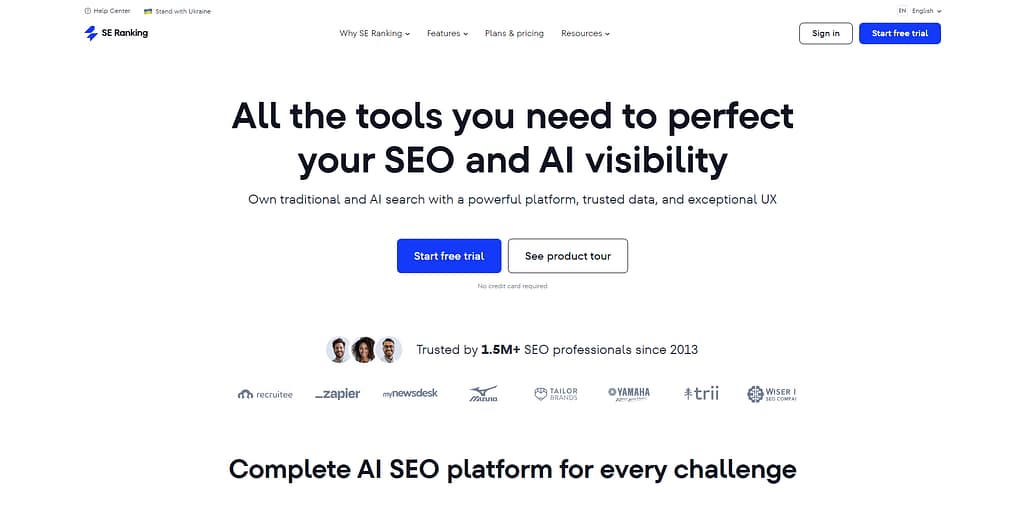
SE Ranking covers keyword research, competitor analysis, website audit, backlink monitoring, content editing, and local SEO in a single platform. SE Ranking holds a G2 rating of 4.8/5. SE Ranking was founded in 2013 and is headquartered in London, UK. SE Ranking's Keyword Grouper clusters thousands of keywords by SERP similarity - a function typically requiring a dedicated standalone tool.
SE Ranking's 5 core automated features are:
- Tracks keyword rankings daily across Google, Bing, Yahoo, YouTube, and Yandex
- Groups thousands of keywords by SERP similarity using Keyword Grouper
- Monitors 110+ website technical issues with automated Website Audit
- Tracks AI Results Rankings across AI search platforms via AI Results Tracker
- Monitors competitor page changes via Page Changes Monitoring
The following image compares SE Ranking's 3 plans. SE Ranking provides a 14-day free trial with no credit card required on all plans.
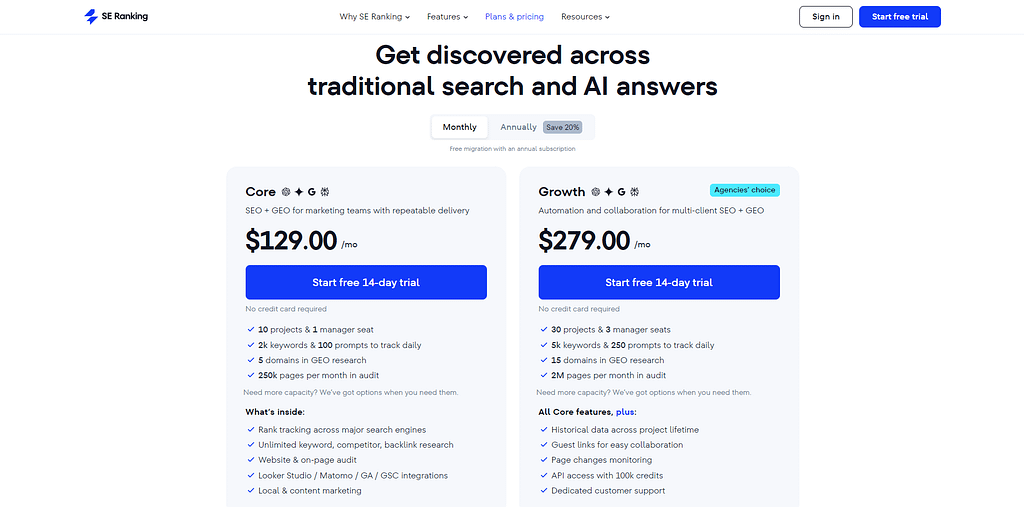
SE Ranking Essential covers rank tracking for 1 domain with daily updates; Business handles unlimited client projects with white-label reporting.
SE Ranking strengths: SE Ranking's AI Results Tracker monitors brand visibility in Google AI Overview results — absent from Semrush's Pro and Guru base plans. SE Ranking's 14-day no-credit-card trial allows full platform testing before any payment. SE Ranking's keyword database covers 5.3 billion keywords with daily rank updates on all plans.
SE Ranking limitations: SE Ranking's backlink index of 2.7 trillion links is smaller than Semrush's 43 trillion and Ahrefs' 35 trillion. SE Ranking's API access is restricted to the Business plan at $318/mo. SE Ranking does not include a built-in tool recommendations engine comparable to Semrush Copilot.
For agencies: SE Ranking's Business plan handles unlimited client projects with white-label reporting at $279/mo. For small business: SE Ranking Essential at $129/mo covers rank tracking for 1 domain with daily keyword position updates — the SE Ranking vs Semrush pricing comparison shows the $10/mo cost difference in detail.
4. Moz Pro - Best for Beginners & Domain Authority
Moz Pro is an all-in-one SEO platform that invented the Domain Authority (DA) metric, with a 500-million-keyword database, a 40-trillion-backlink index, and a starting price of $49/mo on the Starter plan (Moz, 2026).
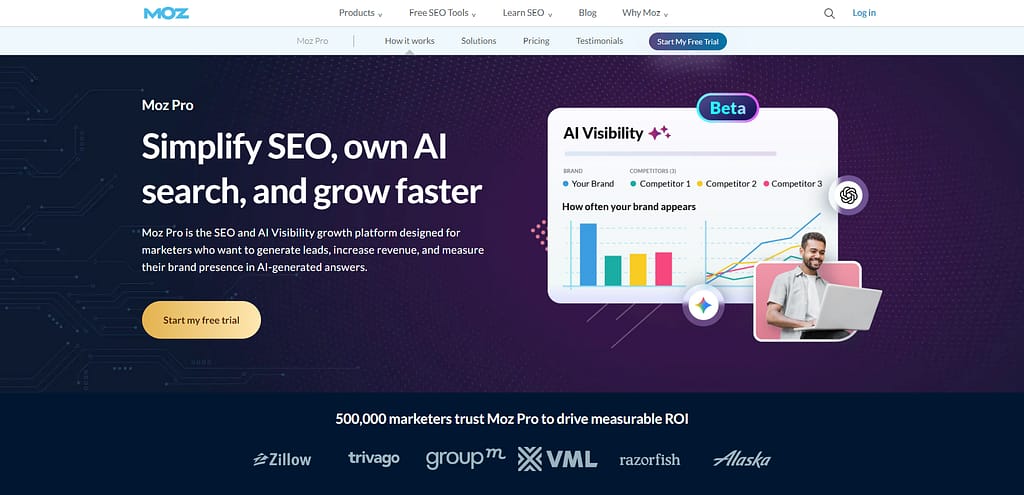
Moz Pro covers keyword research, rank tracking, backlink analysis, on-page grading, and site crawling. Moz Pro holds a G2 rating of 4.3/5. Moz was founded in 2004 and is headquartered in Seattle, Washington. Moz's Domain Authority (DA), Page Authority (PA), and Spam Score are the most requested authority metrics in client SEO reports globally.
Moz Pro's 4 primary research capabilities are:
- Researches 500 million keywords with difficulty, volume, and organic CTR data
- Analyzes 40 trillion backlinks via Moz's Dotbot crawler
- Grades individual pages with the On Page Grader scoring system
- Tracks algorithm volatility daily via MozCast weather reporting
The following image compares Moz Pro's 4 plans. Moz Pro provides a 30-day free trial on Standard and Medium plans with credit card required.
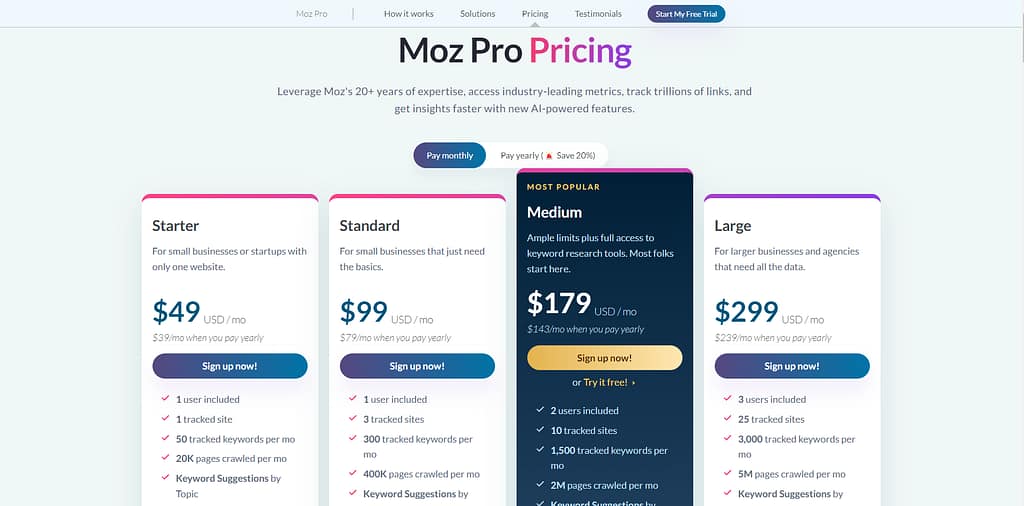
The Standard plan covers rank tracking and keyword research for small business sites; Large suits agencies managing multiple client campaigns.
Moz Pro strengths: Moz Pro's Domain Authority metric remains the most cited authority signal in client-facing SEO reports. MozBar, a free Chrome extension, displays DA, PA, and Spam Score on any webpage without a paid subscription. Moz Pro's onboarding wizard guides new users through a first site audit in under 30 minutes.
Moz Pro limitations: Moz Pro's 500-million keyword database is smaller than Semrush's 27.9 billion and Ahrefs' 28.7 billion. The Standard plan's 150 keyword query limit per month restricts professional research workflows. Moz Pro's site crawl data refreshes weekly — slower than daily crawls in SE Ranking and Semrush.
For beginners: Moz Pro's Starter plan at $49/mo provides 1 campaign with 50 tracked keywords and guided on-page SEO recommendations. For agencies: Moz Pro's Domain Authority metric remains the most requested client-facing authority signal in SEO reporting — the Moz Pro vs Semrush comparison covers the keyword database gap in full.
What Are the Best AI SEO Tools?
There are 5 AI SEO tools in this category, including Writesonic, Surfer SEO, AirOps, Scalenut, and Frase.
The following table compares 5 AI SEO tools on primary function, pricing, and target use case.
Surfer SEO leads for content optimization; Writesonic leads for AI-generated content at scale and suits small business workflows equally well.
5. Surfer SEO - Best for Content Optimization
Surfer SEO is a content optimization platform that analyzes 500+ ranking factors and generates NLP-driven content briefs and real-time content scoring using Google's NLP API, with a starting price of $119/mo for 15 content editors per month (Surfer SEO, 2026).
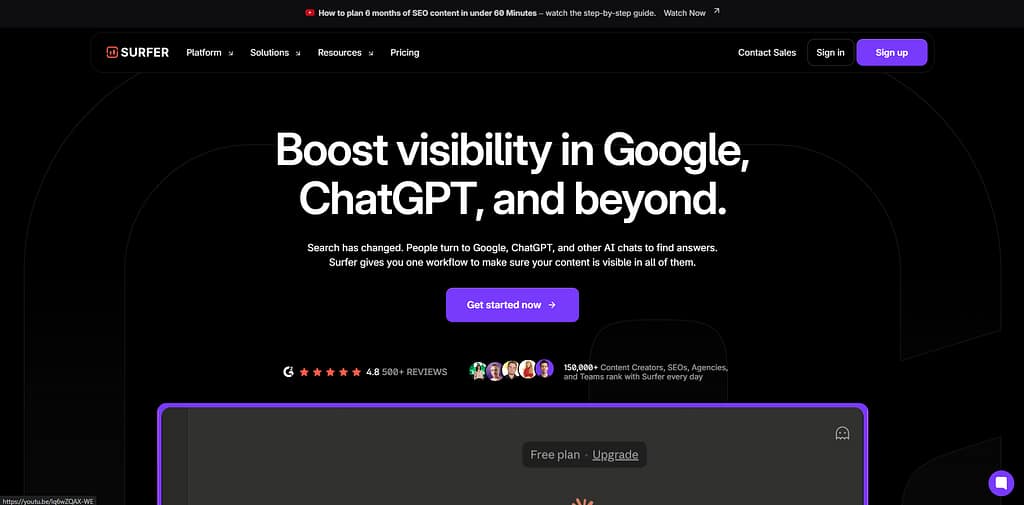
Surfer SEO's Content Editor 3.0 scores draft content against the top 50 SERP competitors using real-time semantic keyword analysis. Surfer SEO holds a G2 rating of 4.8/5. Surfer SEO was founded in 2017 and is headquartered in Wroclaw, Poland. Surfer SEO's proprietary Content Score (0–100) is the most cited real-time content optimization metric in the SEO industry.
Surfer SEO's 4 core optimization tools are:
- Scores content drafts against 500+ ranking factors from the top 50 SERP results
- Generates topical maps for building niche authority via Topic Clustering
- Tracks daily keyword rankings and AI search visibility across connected sites
- Analyzes competitor pages with 500+ ranking factors via SERP Analyzer
The following image compares Surfer SEO's 3 plans. Surfer SEO provides no free trial; a 7-day refund policy applies on paid plans.
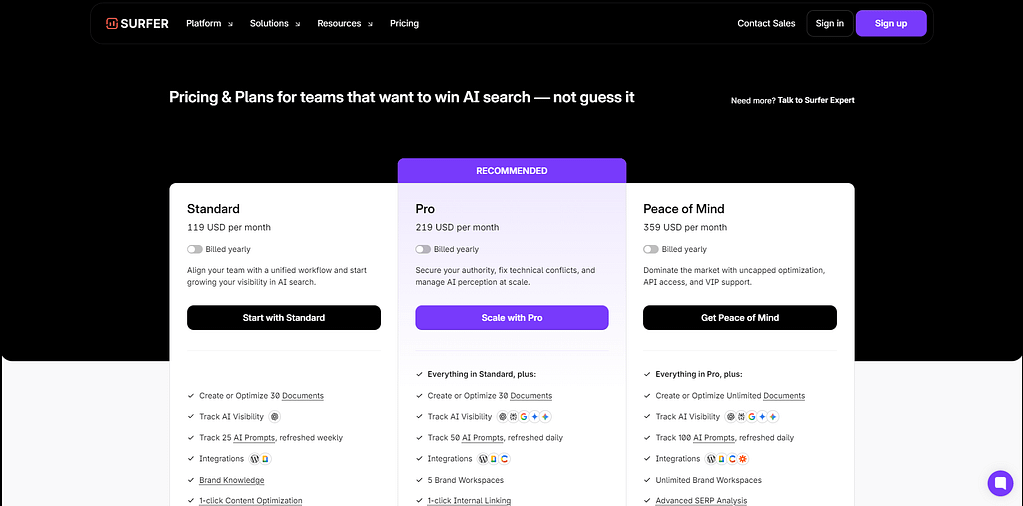
The Essential plan covers individual content SEO workflows; Scale suits agencies publishing 100+ optimized pieces monthly.
Surfer SEO strengths: Surfer SEO's Content Editor 3.0 provides real-time NLP keyword recommendations based on the exact top 50 SERP results. Surfer SEO integrates directly with Google Docs and WordPress for in-environment optimization. Surfer SEO's Topical Map feature generates an entire authority-building content structure for any niche.
Surfer SEO limitations: Surfer SEO provides no backlink analysis or rank tracking database — these require separate tool subscriptions. Surfer SEO's 5 AI articles on Essential vs. 20 on Scale represents a steep per-article cost increase of $96/mo. Surfer SEO is not suitable for purely technical SEO workflows requiring crawl data or link analysis — the Surfer SEO vs Clearscope comparison covers the content-grading differences.
6. Writesonic - Best for AI Content at Scale
Writesonic is an AI content platform that generates SEO-optimized articles, runs site audits, and tracks GEO (Generative Engine Optimization) brand visibility, with a free plan of 25 generations/month and paid plans starting at $249/mo (Writesonic, 2026).
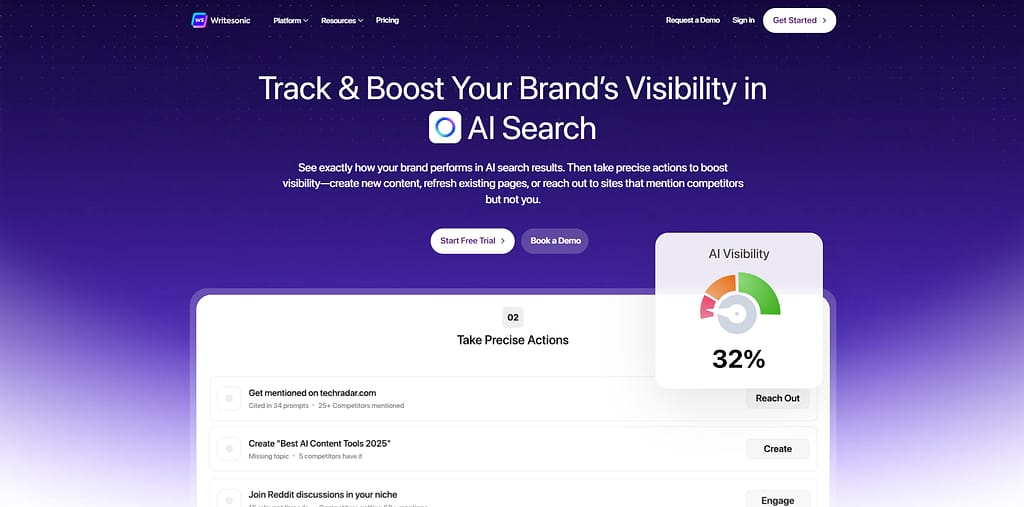
Writesonic generates full-length articles using GPT-4o and Claude 3.5, monitors brand visibility across AI search platforms including ChatGPT, Gemini, and Perplexity, and provides site audit reports on a single dashboard. Writesonic holds a G2 rating of 4.7/5. Writesonic was founded in 2021 and is headquartered in San Francisco, California. Writesonic's GEO Overview Dashboard tracks brand citation frequency across AI platforms using a 120-million-query database.
Writesonic's 4 core content capabilities are:
- Generates SEO-ready articles using GPT-4o, Claude 3.5, and Gemini models
- Audits websites for SEO issues across 6 reports per month on the Lite plan
- Tracks brand visibility across AI platforms (ChatGPT, Gemini, Perplexity) on Professional
- Analyzes keyword gaps, topic clusters, and competitor content via the SEO Suite
The following image compares Writesonic's 3 paid plans. Writesonic provides a permanent free plan with 25 AI generations per month and no credit card required.
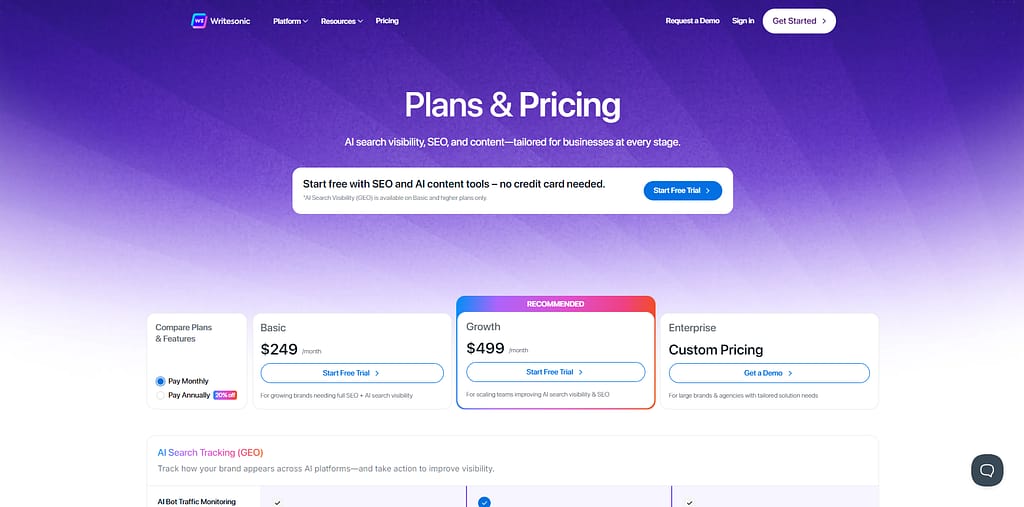
The Standard plan covers core AI content creation for solo marketers; Professional suits agencies managing 100+ articles per month.
Writesonic strengths: Writesonic's GEO tracking monitors 120 million AI chat queries to surface brand visibility gaps across 4 AI platforms. Writesonic's Bulk Generate tool produces hundreds of product descriptions from a single CSV input. Writesonic's free plan provides 25 generations per month with no credit card required.
Writesonic limitations: Writesonic's AI outputs require human editing for factual accuracy — the platform does not independently verify claims. Writesonic's keyword data integrates Ahrefs rather than a proprietary database, limiting deep SEO analysis. GEO tracking requires the EnterPrise - see the Writesonic vs Surfer SEO comparison for a feature-by-feature breakdown.
7. AirOps - Best for SEO Workflow Automation
AirOps is an AI workflow automation platform that connects SEO data sources — including Ahrefs, Semrush, and Google Search Console — to automate content operations at scale, with a free plan covering 1,000 tasks/month and paid plans from approximately $199/mo (AirOps, 2026).
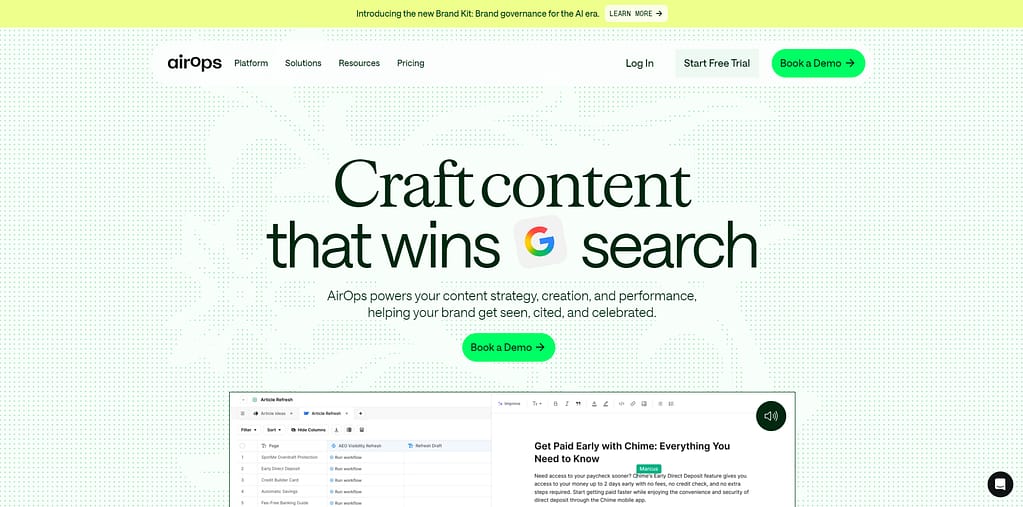
AirOps' no-code Workflow Builder chains multiple AI models (GPT-4o, Claude 3.5, Gemini 1.5 Pro) into a single content pipeline connecting 10+ CMS platforms and SEO data sources. AirOps was founded in 2022 and is headquartered in Miami, Florida. AirOps' Page360 dashboard unifies AI citation data, SEO metrics, and traffic analytics for individual URLs.
AirOps' 4 core workflow capabilities are:
- Connects SEO data from Semrush, GSC, and internal sources via drag-and-drop builder
- Automates bulk content updates across hundreds of pages via Grids
- Monitors brand citation frequency across AI platforms (ChatGPT, Perplexity, Gemini)
- Publishes content directly to WordPress, Webflow, Contentful, Strapi, and Shopify
The following image compares AirOps' plan structure. AirOps provides a 14-day free trial with no credit card required.
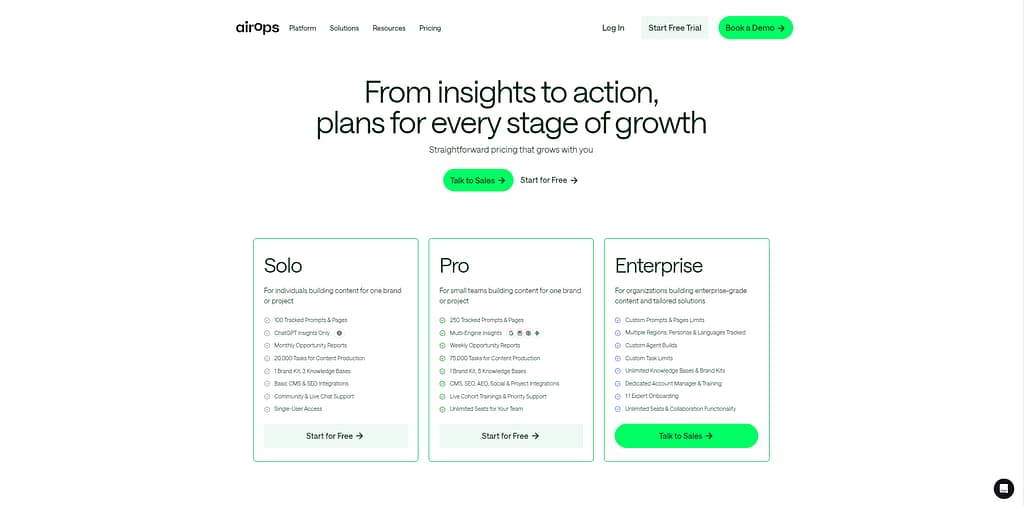
The free plan covers basic workflow testing; Enterprise suits content operations managing 1,000+ page updates.
AirOps strengths: AirOps' Grids tool processes hundreds of page updates simultaneously — the only reviewed tool handling 1,000+ pages without manual intervention. AirOps integrates 30+ AI models within a single workflow, enabling model comparison at scale. AirOps' Human-in-the-Loop feature enforces mandatory editor approval before any content publishes.
AirOps limitations: AirOps requires technical understanding of prompts and data flows — not suitable for non-technical users. AirOps' most powerful features require Enterprise pricing via "Contact Sales" only. AirOps requires existing SEO tool subscriptions to use data integrations effectively — the AirOps vs Writesonic comparison shows where each platform fits in an AI content stack.
8. Scalenut - Best for AI-Powered Keyword Planning
Scalenut is an AI SEO platform that combines keyword clustering, content briefs, and AI writing in one guided workflow (Cruise Mode), starting at $59/mo for 5 SEO articles per month with a 7-day free trial and no credit card required (Scalenut, 2026).
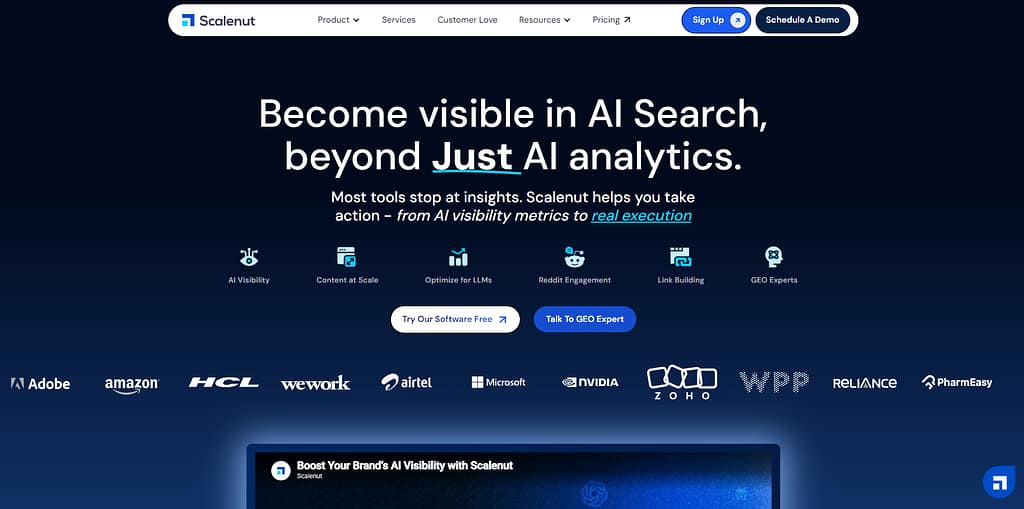
Scalenut's Cruise Mode automates article generation from keyword research to a 3,000+ word draft in under 5 minutes. Scalenut holds a G2 rating of 4.7/5. Scalenut was founded in 2020 and is headquartered in Gurugram, India. Scalenut's GEO Watchtower monitors brand visibility in AI-powered search including Google's AI Overviews.
Scalenut's 4 core automated SEO tools are:
- Clusters thousands of keywords by topical relevance via Keyword Clustering
- Generates full SEO articles from brief to draft in under 5 minutes via Cruise Mode
- Audits existing content for optimization gaps via Content Audit
- Tracks AI search brand visibility via GEO Watchtower
The following image compares Scalenut's 3 plans. Scalenut provides a 7-day free trial with no credit card required.
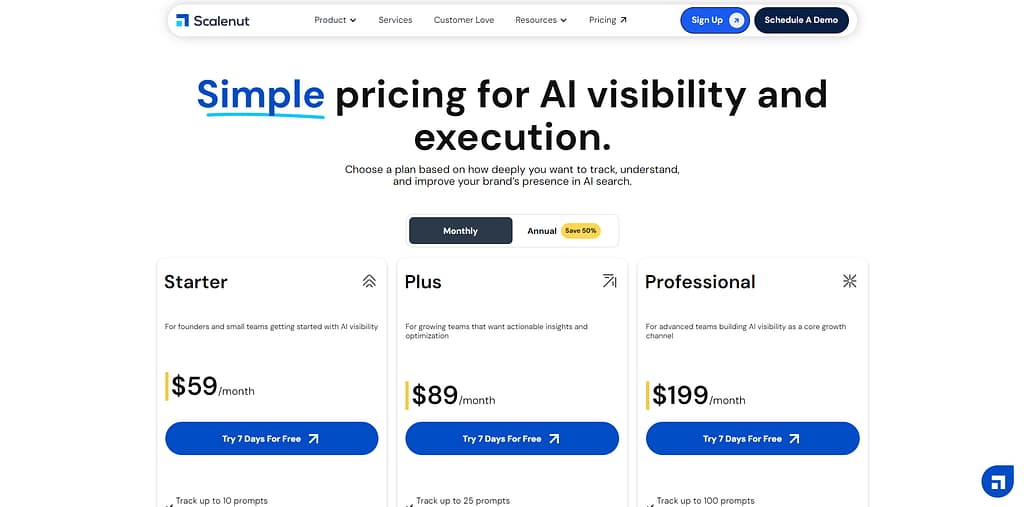
The Essential plan covers individual blogger workflows; Growth suits content marketers publishing 30 articles per month.
Scalenut strengths: Scalenut's Cruise Mode produces a 3,000+ word draft in under 5 minutes — the fastest reviewed AI writing workflow. Scalenut's keyword clustering groups thousands of keywords by topical relevance at a fraction of standalone clustering tool costs. Scalenut's $59/mo entry point is the most affordable among AI SEO platforms with clustering capability.
Scalenut limitations: Scalenut's AI writing quality requires more human editing compared to Surfer SEO's NLP-based approach. Scalenut's collaboration costs $49/mo per additional user seat beyond plan limits. Scalenut provides no backlink analysis or technical crawl capabilities — the Scalenut vs Surfer SEO comparison details the output quality difference.
9. Frase - Best for AI Content Briefs
Frase is an AI content research platform that generates content briefs from real-time Google Top 20 SERP data in under 6 seconds, with plans starting at $49/mo and a 5-day trial for $1 (Frase, 2026).
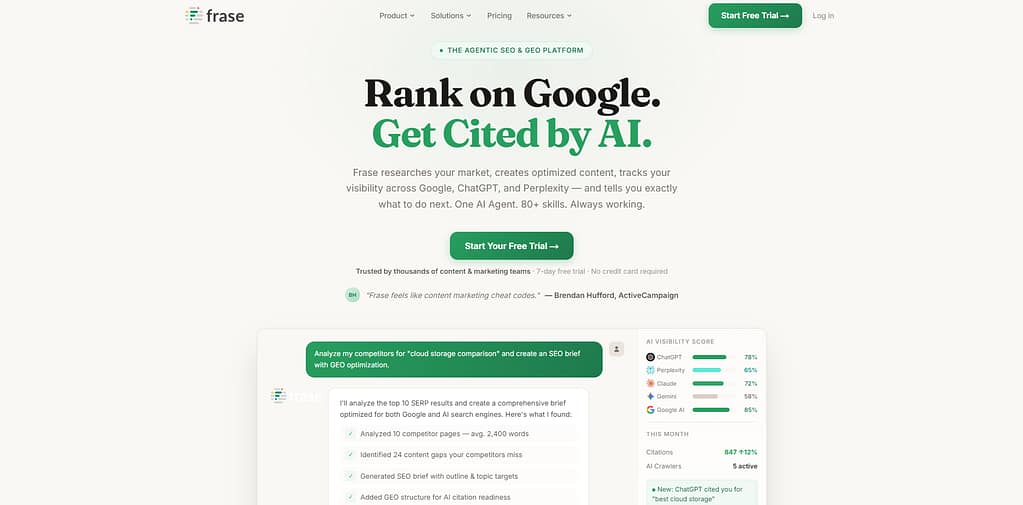
Frase's AI Outlines tool generates detailed briefs by analyzing the top 20 search results for any keyword. Frase holds a G2 rating of 4.8/5. Frase was founded in 2016, is headquartered in Boston, Massachusetts, and was acquired by Copysmith. Frase's SERP Analyzer breaks down word count, headers, and topic gaps across the top 20 competing pages.
Frase's 3 core research capabilities are:
- Generates content briefs from Google Top 20 SERP data in under 6 seconds
- Analyzes topic gaps between draft content and top-ranking competitor pages
- Tracks page performance via Google Search Console integration on Basic and Team plans
The following image compares Frase's 3 plans. Frase provides a 5-day trial for $1 on all plans; credit card required.
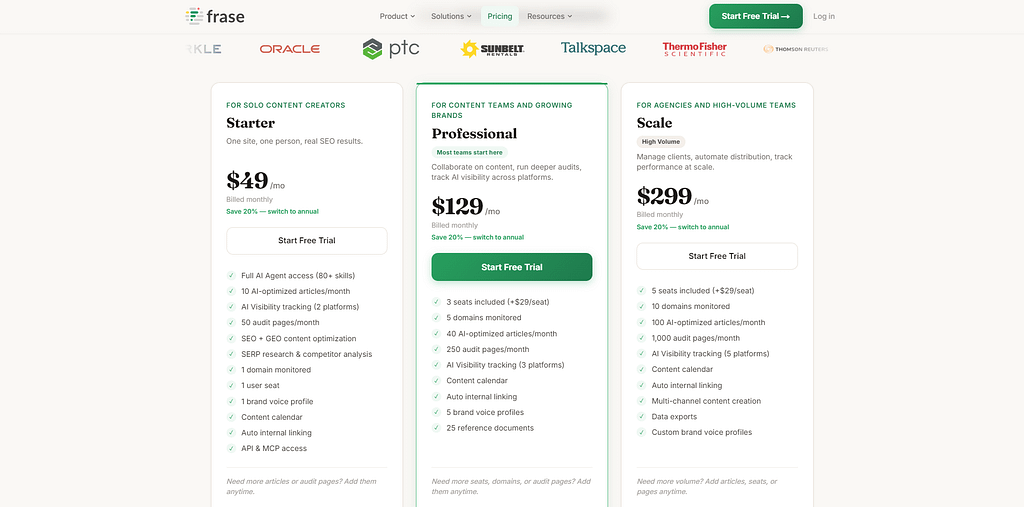
The Basic plan covers standard content production workflows; Team suits agencies with unlimited monthly article volume.
Frase strengths: Frase's brief generation completes in under 6 seconds — the fastest SERP-based brief tool reviewed. Frase's Custom AI Tool Builder allows users to create proprietary AI writing workflows for any content format. Frase's Solo plan at $49/mo provides an accessible entry point for new freelancers.
Frase limitations: Frase's base 4,000 AI words per month requires a $35/mo Pro Add-on for unlimited AI writing on all tiers. Frase provides no dedicated rank tracking or backlink analysis. Frase's $1 trial requires a credit card, unlike SE Ranking and AirOps free-access options — the Frase vs Surfer SEO comparison covers the brief-generation workflow differences.
What Are the Best Free SEO Tools?
There are 7 free SEO tools in this category, covering keyword research, technical audits, and traffic analytics.
The following table lists 7 free SEO tools with their primary function and free tier constraints.
Google Search Console is the only free tool with direct access to Google's first-party search data, making it the natural starting point for beginners exploring the best free SEO tools.
10. Google Search Console - Best for First-Party Search Data
Google Search Console is a free tool from Google that tracks 16 months of search performance data — including impressions, clicks, CTR, and average position — for verified website owners at $0 cost (Google, 2026).
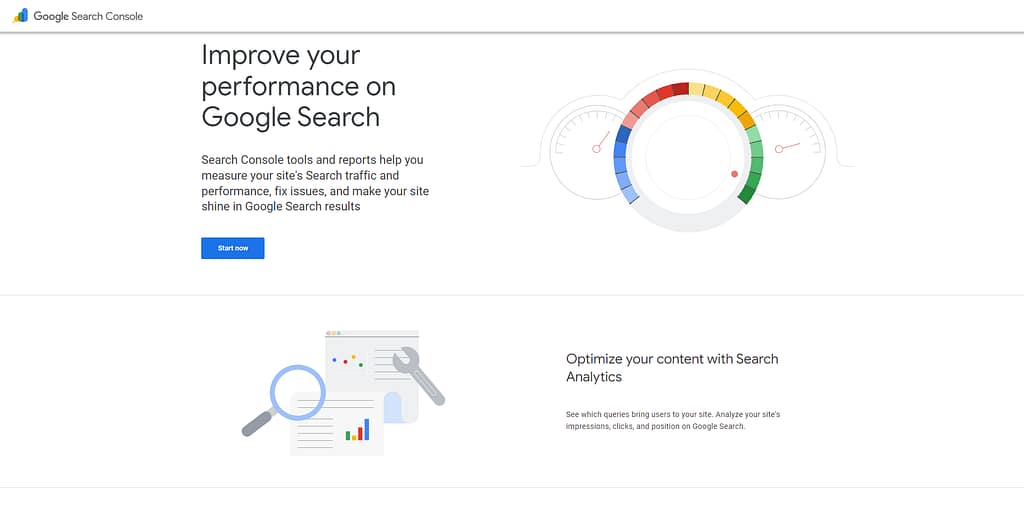
Google Search Console provides direct access to Google's own index data on how a site appears in Google Search, including index coverage status, Core Web Vitals scores, manual actions, and mobile usability reports. Google Search Console requires property verification via HTML tag, DNS record, or Google Analytics. Google Search Console covers 4 primary performance areas: Performance, URL Inspection, Indexing, and Experience.
Google Search Console's 5 core data categories are:
- Tracks search impressions, clicks, CTR, and average position across 16 months of data
- Reports index coverage showing indexed and non-indexed pages with specific error reasons
- Monitors Core Web Vitals (LCP, INP, CLS) scores for desktop and mobile separately
- Flags manual actions and security issues from Google's search quality team
- Analyzes internal and external links as discovered by Googlebot
Google Search Console strengths: Google Search Console provides the only source of Google's first-party CTR data — a metric absent from all third-party SEO tools. Google Search Console's 16-month data retention allows seasonal performance comparisons across 2 complete annual cycles. Google Search Console identifies crawl errors and index issues before they cause ranking declines.
Google Search Console limitations: Google Search Console provides no keyword difficulty data or competitor analysis — it reports own-site data only. Google Search Console data is sampled for high-traffic websites, reducing precision above a traffic threshold. Google Search Console covers Google Search only — Bing and Yahoo data require separate tools.
For beginners: Google Search Console functions as the baseline data source every site owner activates before any paid SEO tool. For agencies: Google Search Console's API enables automated reporting pipelines connecting to Looker Studio dashboards — a key distinction covered in the GSC vs Google Analytics comparison.
11. Google Analytics 4 - Best for Traffic Analysis
Google Analytics 4 is a free web analytics platform from Google that tracks user behavior across websites and apps using event-based data modeling, with 14-month data retention on the free tier and zero subscription cost (Google, 2026).
Google Analytics 4 replaced Universal Analytics in July 2023, shifting from session-based to event-based tracking. Google Analytics 4 provides acquisition, engagement, monetization, and retention reports across website and app properties in a single interface. Google Analytics 360 (enterprise) extends data retention to 50 months.
Google Analytics 4's 4 core reporting areas are:
- Tracks user acquisition channels including organic search, paid search, and social media
- Measures page engagement via scroll depth, session duration, and event completion
- Monitors e-commerce purchases, checkout journeys, and conversion funnel performance
- Segments audience demographics, technology, and geographic behavior patterns
Google Analytics 4 strengths: Google Analytics 4 integrates directly with Google Ads, Google Search Console, and BigQuery for cross-platform reporting. Google Analytics 4's event-based model captures video plays, form submissions, and file downloads without additional code on supported platforms. Google Analytics 4 is 100% free — no paid tier is required for standard website analytics.
Google Analytics 4 limitations: Google Analytics 4's transition from Universal Analytics removed historical session data for sites migrating after July 2023. Google Analytics 4 provides no SEO-specific keyword data - it reports traffic sources but not individual ranking keywords. Google Analytics 4 requires Google Tag Manager for advanced custom event tracking — see the GA4 vs Google Search Console comparison for which tool covers which data gap.
12. Google PageSpeed Insights — Best for Core Web Vitals
Google PageSpeed Insights is a free tool from Google that scores page performance on a 0–100 scale and reports Core Web Vitals data - LCP, INP, and CLS - for mobile and desktop separately at $0 cost (Google, 2026).
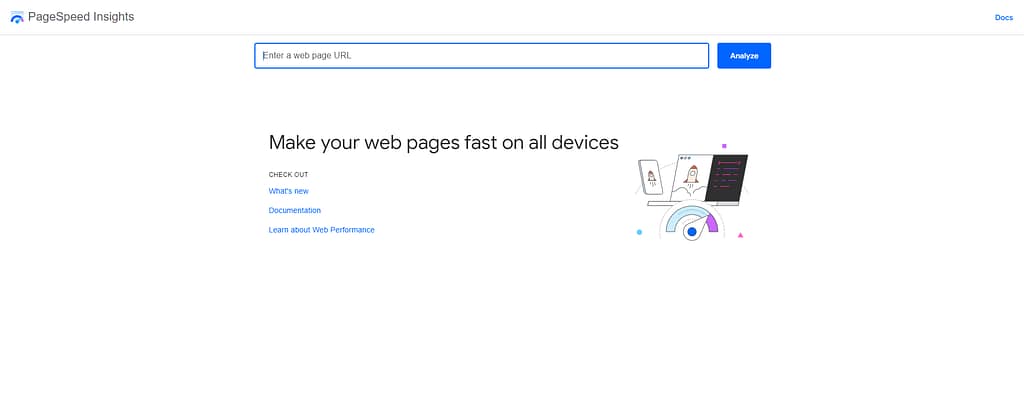
Google PageSpeed Insights uses Lighthouse to audit performance, accessibility, best practices, and SEO for any public URL. Google PageSpeed Insights provides 2 data types: Lab Data (simulated) and Field Data (real-user CrUX data). No account or verification is required — any URL is analyzable immediately.
Google PageSpeed Insights' 3 Core Web Vitals reports are:
- Reports Largest Contentful Paint (LCP) - page load speed for the main content element
- Reports Interaction to Next Paint (INP) - responsiveness to user interactions
- Reports Cumulative Layout Shift (CLS) - visual stability during page load
Google PageSpeed Insights strengths: Google PageSpeed Insights uses the same Core Web Vitals thresholds Google applies in ranking assessments. Google PageSpeed Insights provides actionable "Opportunities" with estimated time savings per fix specific to the analyzed URL. Google PageSpeed Insights' Field Data reflects actual user experience from Google's Chrome User Experience Report (CrUX).
Google PageSpeed Insights limitations: Google PageSpeed Insights analyzes 1 URL per submission - no bulk crawling or site-wide reporting is available. Google PageSpeed Insights provides no historical trend data - each analysis captures a single point-in-time score. Google PageSpeed Insights' Lab Data scores vary based on server response time at the moment of analysis, which is why pairing it with technical SEO tools that crawl at scale is recommended.
13. Ubersuggest - Best Free Tier for Keyword Research
Ubersuggest is a keyword research tool by Neil Patel that offers 3 free searches per day with a 2-billion-keyword suggestion database and paid plans starting at $12/mo covering rank tracking, site audits, and competitor analysis (Neil Patel Digital, 2026).
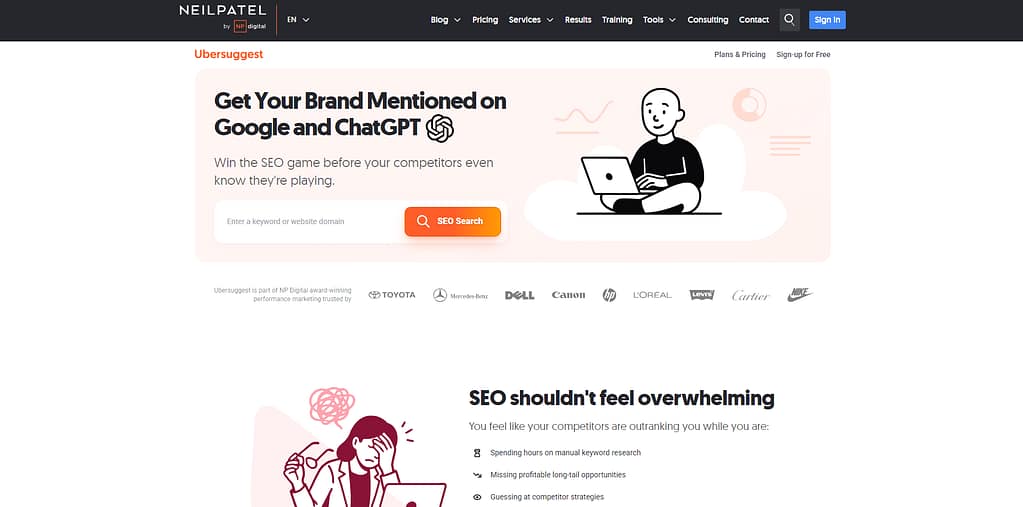
Ubersuggest covers keyword research, rank tracking, site audits, backlink analysis, and competitor traffic overview in a single dashboard. Ubersuggest holds a G2 rating of 4.2/5. Neil Patel Digital developed Ubersuggest as a freemium alternative to enterprise tools.
Ubersuggest's 4 core research functions are:
- Researches 2 billion+ keyword suggestions with volume, difficulty, and CPC data
- Tracks organic keyword rankings across Google for connected domains
- Audits websites for on-page SEO issues with prioritized fix recommendations
- Analyzes competitor traffic and top pages by estimated organic visits
The following image compares Ubersuggest's 3 paid plans. Ubersuggest provides 3 free searches per day with no account required.
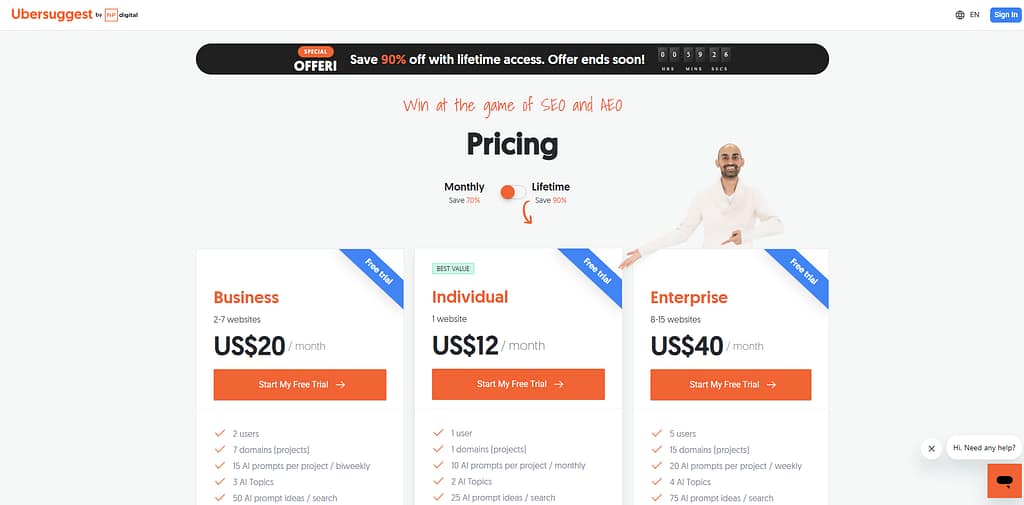
The Individual plan covers a single website for solo content creators; Enterprise handles unlimited client domains.
Ubersuggest strengths: Ubersuggest's 3 free daily searches provide keyword volume, difficulty, and CPC data without any subscription. Ubersuggest's AI Writer generates content outlines and meta descriptions within the same keyword research dashboard. Ubersuggest's Individual plan at $12/mo is among the most affordable paid entry points for full rank tracking.
Ubersuggest limitations: Ubersuggest's backlink data is less accurate than Ahrefs and Semrush indexes by a measurable margin. Ubersuggest's free tier provides 3 searches per day - insufficient for professional keyword research workflows. Ubersuggest's customer support response times are slower than premium tools - the Ubersuggest vs Ahrefs comparison shows the data accuracy gap in detail.
14. Keywords Everywhere - Best Browser Extension for SEO
Keywords Everywhere is a browser extension for Chrome and Firefox that displays keyword search volume, CPC, and competition data directly within Google, YouTube, and 15 additional platforms, with a credit-based pricing model starting at $7 for 100,000 credits (Keywords Everywhere, 2026).
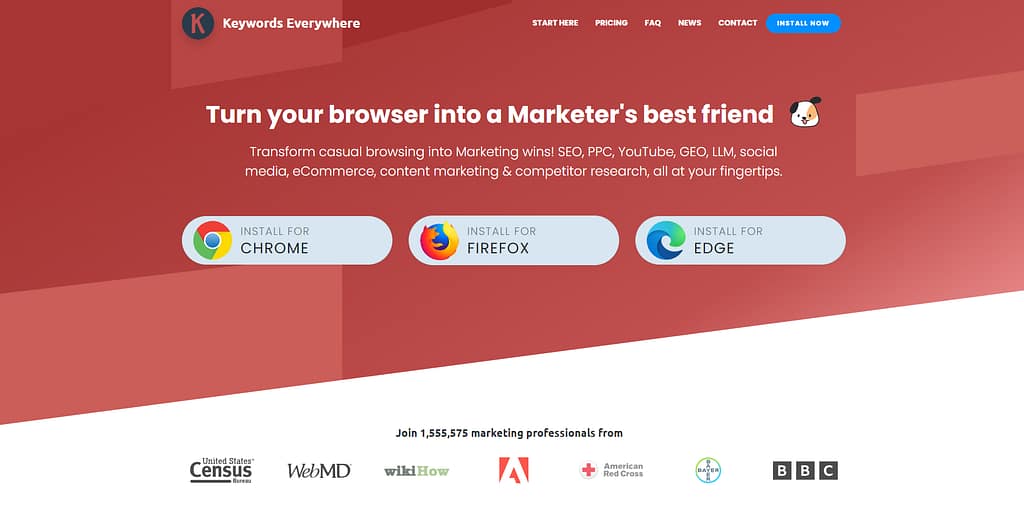
Keywords Everywhere overlays keyword metrics onto 15+ websites — including Google, YouTube, Bing, Amazon, and Etsy - without switching to a separate research tool. Keywords Everywhere data is sourced from third-party estimates rather than Google's direct API.
Keywords Everywhere's 3 core display functions are:
- Displays monthly search volume, CPC, and competition scores directly on Google SERP pages
- Shows related keyword suggestions alongside search results for any query
- Provides bulk keyword data analysis via the Keyword Keg dashboard
Keywords Everywhere strengths: Keywords Everywhere operates across 15+ platforms simultaneously - the broadest cross-platform keyword data coverage of any browser extension reviewed. Keywords Everywhere's credit system ($7/100K credits) provides a cost-effective entry for low-volume research. Keywords Everywhere's Competitor Gap Analysis identifies keyword gaps between any 2 domains from within the extension.
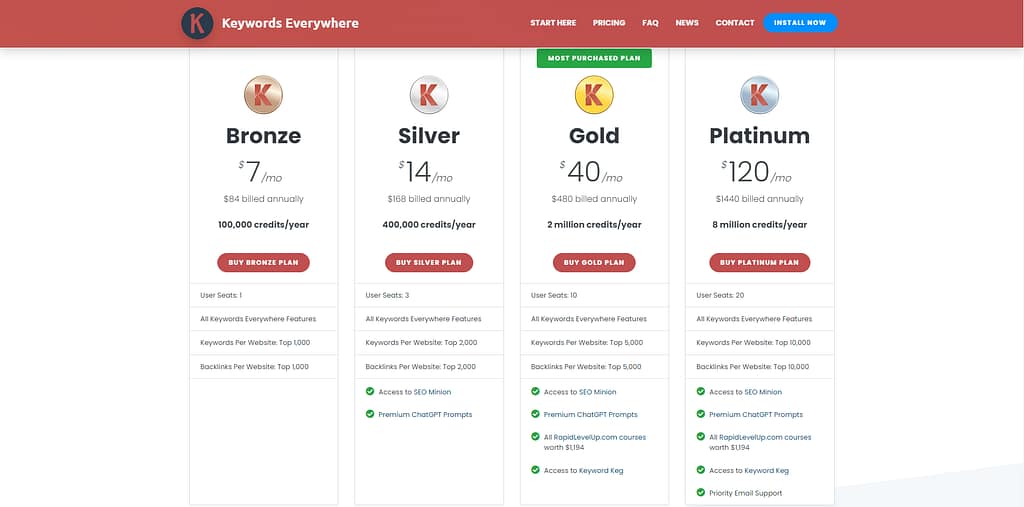
Keywords Everywhere limitations: Keywords Everywhere data is sourced from third-party estimates, not Google's direct data, introducing accuracy variance. Keywords Everywhere's credit-based pricing becomes unpredictable for research volumes above 100,000 monthly queries. Keywords Everywhere provides no rank tracking, site audit, or backlink analysis - making it best combined with other free SEO tools for a complete workflow.
15. AnswerThePublic - Best for Question-Based Keywords
AnswerThePublic is a keyword visualization tool that maps question-based search queries - who, what, why, when, how - into a visual question wheel from Google and Bing autocomplete data, with 3 free searches per day and paid plans from $10/mo (AnswerThePublic, 2026).
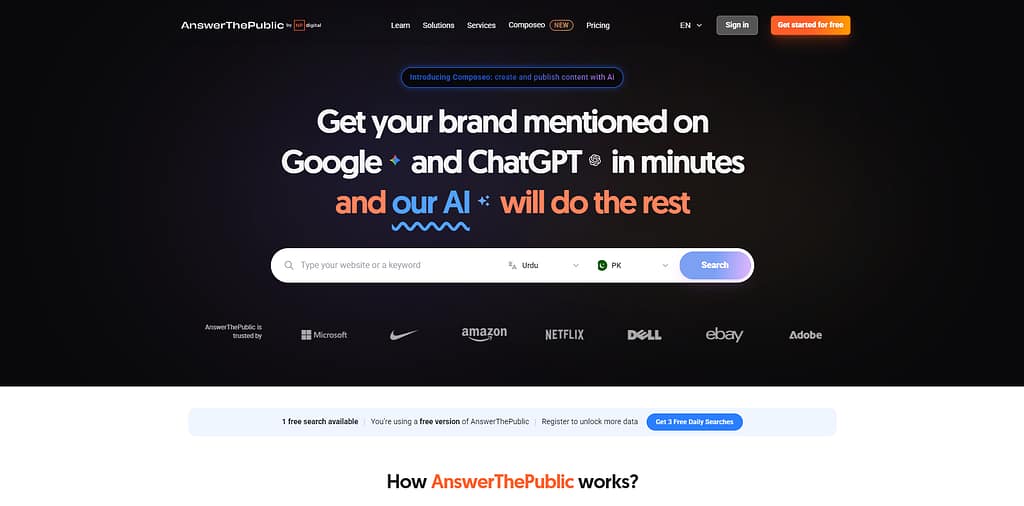
AnswerThePublic organizes keyword queries into 5 categories: Questions, Prepositions, Comparisons, Alphabeticals, and Numbers. AnswerThePublic was acquired by Neil Patel Digital in 2022. AnswerThePublic now monitors AI platform queries (ChatGPT, Claude, Gemini, Perplexity) to surface question patterns from AI search.
AnswerThePublic's 3 research categories are:
- Maps question-based queries (who, what, why, when, how) from Google and Bing autocomplete
- Organizes preposition-based phrases ("X for", "X with", "X without") into exportable lists
- Surfaces comparison queries ("X vs Y") for competitive content gap identification
AnswerThePublic strengths: AnswerThePublic's visual question wheel provides a spatial view of question-query clusters unavailable in standard keyword tools. AnswerThePublic covers AI platform queries across ChatGPT, Claude, Gemini, and Perplexity - a function absent in most free tools. AnswerThePublic's 3 free daily searches provide immediate question-based keyword data for any topic.
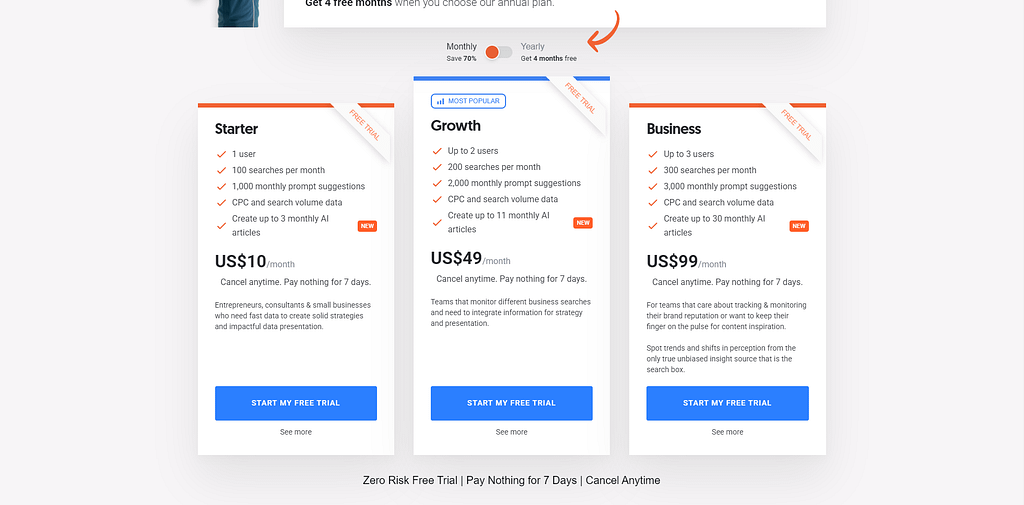
AnswerThePublic limitations: AnswerThePublic provides no search volume data on the free plan - keyword frequency requires a paid upgrade. AnswerThePublic's visualization exports require the paid Individual plan at $10/mo. AnswerThePublic provides no rank tracking or backlink data, so it works best alongside other free SEO tools that cover those gaps.
16. Bing Webmaster Tools - Best Free Technical Audit Tool
Bing Webmaster Tools is a free platform from Microsoft that provides site crawl reports, keyword data from Bing Search, SEO recommendations, and backlink data across 4 audit categories at $0 cost (Microsoft, 2026).
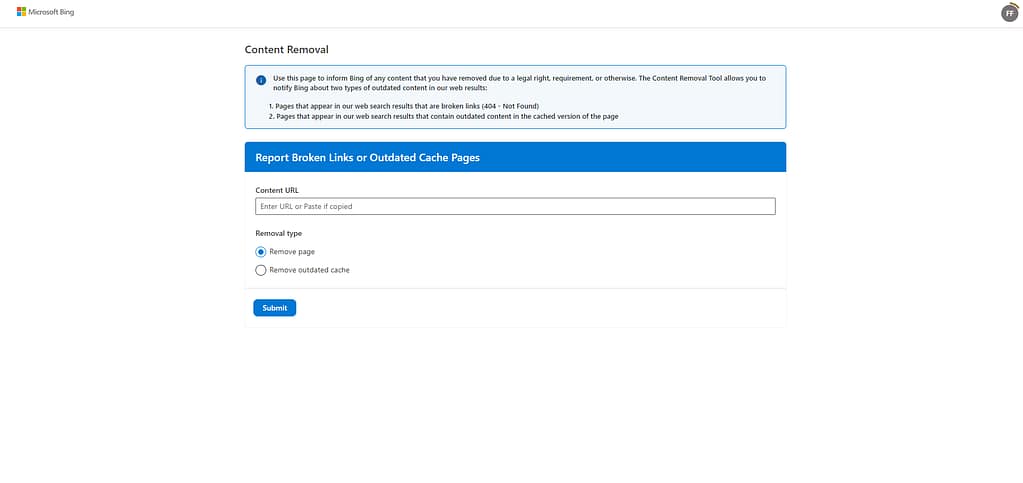
Bing Webmaster Tools covers Search Performance, URL Inspection, Site Explorer, Sitemaps, Backlinks, Keyword Research, Site Scan recommendations, and Crawl Control in a single free dashboard. Property verification via HTML tag, XML file, or CNAME record is required. Bing's search market share in the United States stands at 3.3% (StatCounter, 2026).
Bing Webmaster Tools' 4 audit categories are:
- Reports site crawl errors, indexing status, and discovered URLs via Site Explorer
- Analyzes Bing-sourced keyword data including impressions, clicks, and CTR by page
- Reviews backlinks by referring domain, page, and anchor text from Bing's index
- Detects SEO technical errors, warnings, and informational issues via Site Scan
Bing Webmaster Tools strengths: Bing Webmaster Tools provides free crawl data, keyword performance, and backlink index access covering 3.3% of additional search market share. Bing Webmaster Tools' GSC Import migrates Google Search Console verification and settings to Bing in 1 click. Bing Webmaster Tools provides no paid tier - the full feature set is permanently free.
Bing Webmaster Tools limitations: Bing Webmaster Tools covers Bing's 3.3% US market share - keyword and traffic data is not representative of total organic search performance. Bing Webmaster Tools provides no competitor analysis or keyword difficulty scoring. Bing keyword data is not representative of Google SERP performance, which is why dedicated technical SEO tools are needed for full coverage.
What Are the Best Technical SEO Tools?
There are 2 dedicated technical SEO crawling tools in this category: Screaming Frog SEO Spider and Sitebulb.
The following table compares the 2 leading technical SEO crawler tools on crawl capacity and price.
| Tool | Best For | Crawl Limit (Free) | Starting Price |
|---|---|---|---|
| Screaming Frog SEO Spider | Deep technical audits, large-scale crawls | 500 URLs | £199/year (~$288.52) |
| Sitebulb | Visual audit reports, client presentations | 500 URLs | ~$169/year |
Screaming Frog covers enterprise-scale technical SEO crawls; Sitebulb provides visual audit reports suited to WordPress and other CMS workflows.
17. Screaming Frog SEO Spider - Best for Deep Technical Audits
Screaming Frog SEO Spider is a desktop crawler that audits websites up to 500 URLs for free and unlimited URLs at £199/year (~$288.52), identifying 50+ technical SEO issue types including broken links, duplicate content, missing meta tags, and redirect chains (Screaming Frog, 2026).
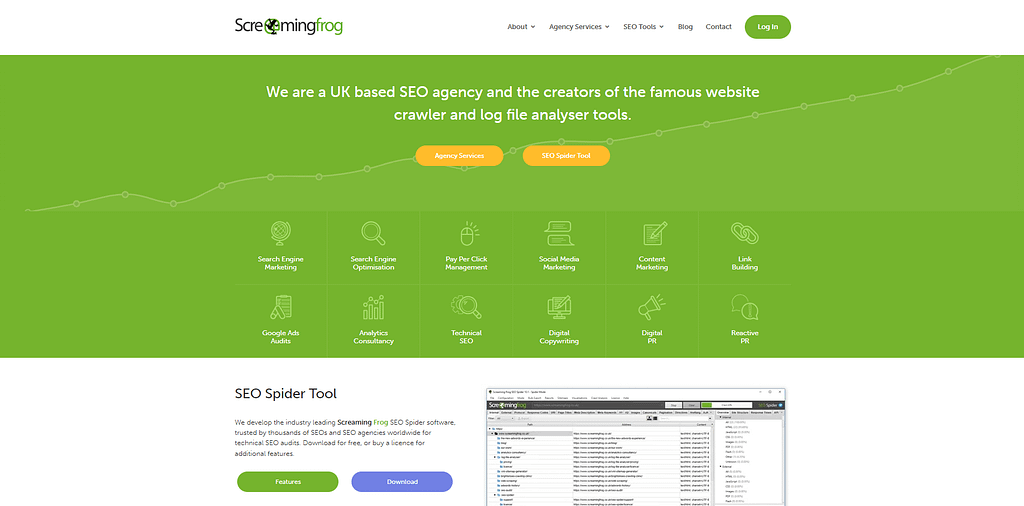
Screaming Frog SEO Spider runs as a desktop application on Windows, Mac, and Linux. Screaming Frog SEO Spider holds a G2 rating of 4.8/5. Screaming Frog Ltd. was founded in 2010 and is headquartered in Henley-on-Thames, UK. Screaming Frog SEO Spider connects directly to Google Search Console and Google Analytics 4 APIs to combine crawl data with performance data in a single export.
Screaming Frog SEO Spider's 5 core technical audit capabilities are:
- Crawls websites for 50+ technical issue types including broken links and missing meta tags
- Analyzes JavaScript-rendered content via built-in rendering technology
- Extracts structured data (schema markup) to validate implementation errors
- Connects to Google Search Console and GA4 APIs for data-enriched crawl reports
- Schedules automated crawls on the paid plan for weekly site health monitoring
The paid plan suits technical SEO agencies auditing large websites; the free tier covers most small business websites with under 500 pages.
Screaming Frog strengths: Screaming Frog's desktop processing handles enterprise-scale crawls of 1M+ pages without cloud infrastructure costs. Screaming Frog's JavaScript rendering identifies issues in SPA and React-based sites that cloud tools miss. Screaming Frog's API connections to GSC and GA4 enrich crawl data with real traffic metrics in a single export.
Screaming Frog limitations: Screaming Frog is desktop-only — cloud crawling is not available, requiring local machine resources for large crawls. Screaming Frog's interface requires 3–5 hours of onboarding for non-technical users to interpret audit results. Crawls of 500K+ pages consume significant RAM on standard hardware.
For agencies: Screaming Frog supports scheduled crawls and API connections to GSC and GA4 for automated weekly client health reports. For beginners: Screaming Frog's 500-URL free crawl covers the complete audit scope for most small business websites — the Screaming Frog vs Sitebulb comparison helps choose between the two crawlers.
What Are the Best Content SEO Tools?
There are 2 dedicated content SEO optimization tools in this category: Clearscope and Frase (see AI Tools section for additional options).
The following table compares the 2 leading content SEO tools on grading system and starting price.
Clearscope and Frase serve distinct content marketing SEO workflows; see the AI SEO tools section for platforms that combine writing and optimization.
18. Clearscope - Best for Content Grading & NLP
Clearscope is a content optimization platform that grades existing and new content on an A+ to F scale using NLP keyword analysis drawn from Google's top-ranking pages, with plans starting at $129/mo per workspace (Clearscope, 2026).
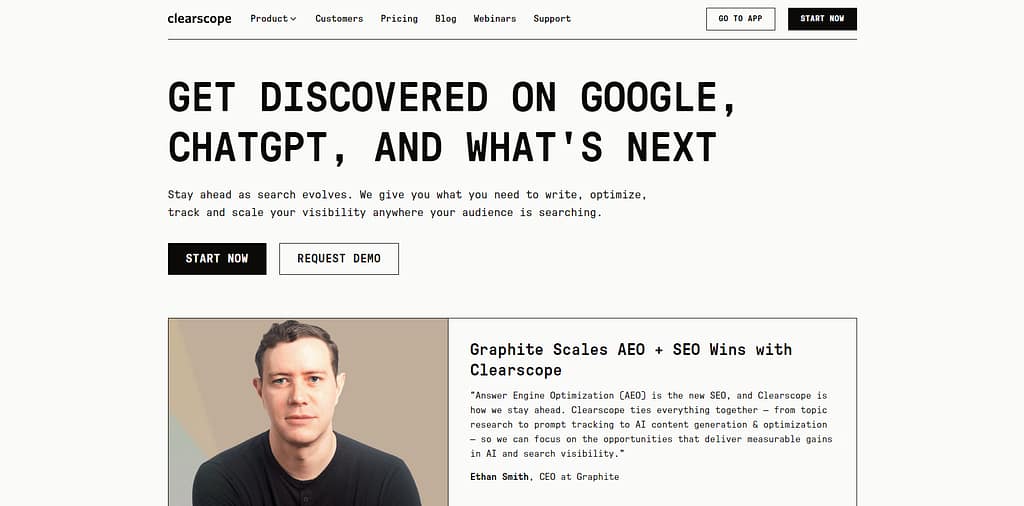
Clearscope's NLP engine analyzes the top-ranking results for any keyword and generates a weighted term list the draft must include to achieve a passing Content Grade. Clearscope holds a G2 rating of 4.9/5. Clearscope integrates directly with Google Docs and provides a WordPress plugin for in-editor optimization.
Clearscope's 3 core grading tools are:
- Grades content drafts from A+ to F based on NLP term coverage against top-ranking competitors
- Discovers keywords by SERP analysis and clusters related terms by semantic relevance
- Tracks content grade changes over time as SERP competitors update their pages
The following image compares Clearscope's 3 plans. Clearscope provides no free trial; access requires direct contact with the sales team.
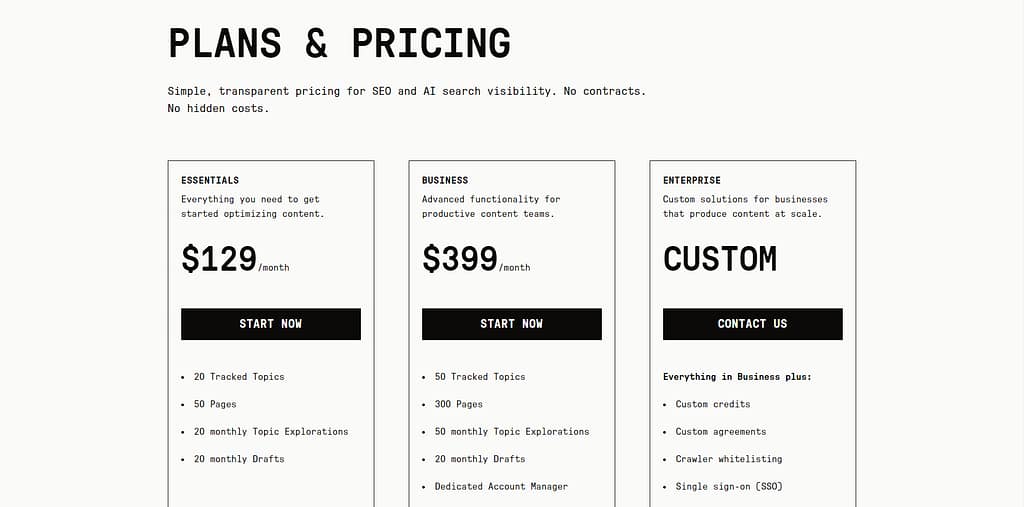
The Essentials plan covers individual content optimization; Business suits teams publishing 20+ graded pieces monthly.
Clearscope strengths: Clearscope's A+ to F grading system provides the clearest content quality benchmark among NLP tools reviewed. Clearscope's Google Docs integration and WordPress plugin enable real-time optimization within existing writing environments. Clearscope's Content Grader updates dynamically as SERP competitors change.
Clearscope limitations: Clearscope's $129/mo starting price is the highest entry cost among content optimization tools reviewed. Clearscope provides no keyword research database, rank tracking, or backlink analysis. Clearscope's no-trial policy requires a direct sales conversation before testing the platform — the Clearscope vs Surfer SEO comparison shows where the $91/mo price difference is justified.
What Are the Best Self-Hosted SEO Tools?
There is 1 self-hosted SEO tool in this category — SEO Utils — which runs on your own machine using third-party API keys, giving full data control without monthly SaaS subscription fees.
The following table shows SEO Utils' deployment model vs SaaS alternatives on cost structure and data ownership.
SEO Utils is the only reviewed tool that allows full data ownership with no recurring vendor subscription, making it relevant to both technical SEO practitioners and agencies managing high query volumes.
19. SEO Utils - Best Self-Hosted SEO Tool for API-Powered Workflows
SEO Utils is a self-hosted SEO toolkit that runs on your own machine or VPS using your own API keys — including DataForSEO, Google Search Console API, and Google PageSpeed API — with no monthly SaaS subscription fee and full data ownership (SEO Utils, 2026).
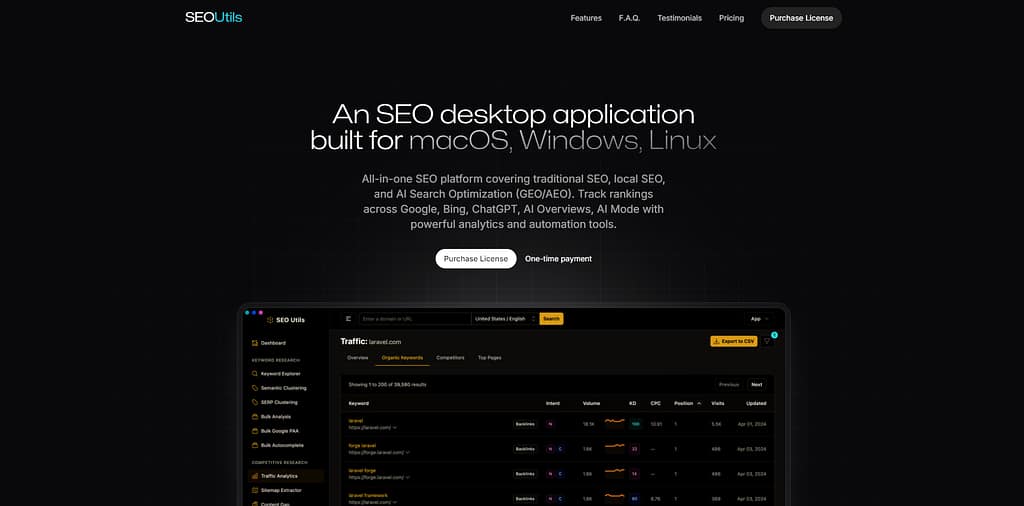
SEO Utils covers keyword research, SERP analysis, competitive research, backlink analytics, and technical auditing by routing data requests through user-controlled API keys at pay-per-query rates. SEO Utils runs on Windows, Mac, and Linux. SEO Utils supports 7 primary research categories: Keyword Research, Competitive Research, Link Building, SERP Research, Google Search Console, Utilities, and IndexNow.
SEO Utils' 5 core API-powered functions are:
- Connects DataForSEO API for keyword research, SERP clustering, and backlink analysis
- Queries Google Search Console API for direct site performance data integration
- Processes bulk keyword analysis, PAA extraction, and autocomplete queries at scale
- Stores all data locally — no vendor accesses proprietary query data
- Reports SEO metrics via a structured dashboard with project-based organization
The following table compares SEO Utils' cost model against SaaS alternatives at equivalent query volume.
At DataForSEO API pricing, SEO Utils costs a fraction of Semrush Business ($499.95/mo) for equivalent keyword query volume.
SEO Utils strengths: SEO Utils eliminates recurring SaaS subscription fees by replacing vendor cloud access with direct API connections. SEO Utils' SERP Clustering and Semantic Clustering tools group keywords by SERP similarity — a function requiring $79+/mo in standalone SaaS tools. SEO Utils' data remains on the user's own infrastructure — no vendor accesses query logs or analysis outputs.
SEO Utils limitations: SEO Utils requires technical setup including API key configuration from DataForSEO and Google Cloud Console. SEO Utils provides no dedicated customer support beyond documentation. SEO Utils' data quality depends entirely on the chosen API provider's database accuracy.
For agencies: SEO Utils eliminates per-seat SaaS costs when managing 20+ client projects, replacing fixed subscriptions with variable API-usage costs. For developers: SEO Utils integrates directly with existing Python or Node.js data pipelines via DataForSEO's API endpoints — the Screaming Frog vs SEO Utils comparison shows the crawl capability trade-offs.
What Are the Best Keyword Research Tools?
There are 4 dedicated keyword research tools in this category, including LowFruits, Keyword Surfer, Ubersuggest, and Keywords Everywhere.
The following table compares 4 keyword research tools on primary function, free access, and starting price.
LowFruits leads on SERP clustering and keyword research; Keyword Surfer is the only tool that displays search volume data directly in Google SERPs for free, making both strong options for beginners starting keyword research.
20. LowFruits - Best for SERP Clustering & Low-Competition Keywords
LowFruits is a keyword research tool that identifies low-competition keywords by analyzing SERP results for weak pages — defined as forums, user-generated content, and thin websites — with a credit-based free plan and paid plans starting at $29.90/mo (LowFruits, 2026).
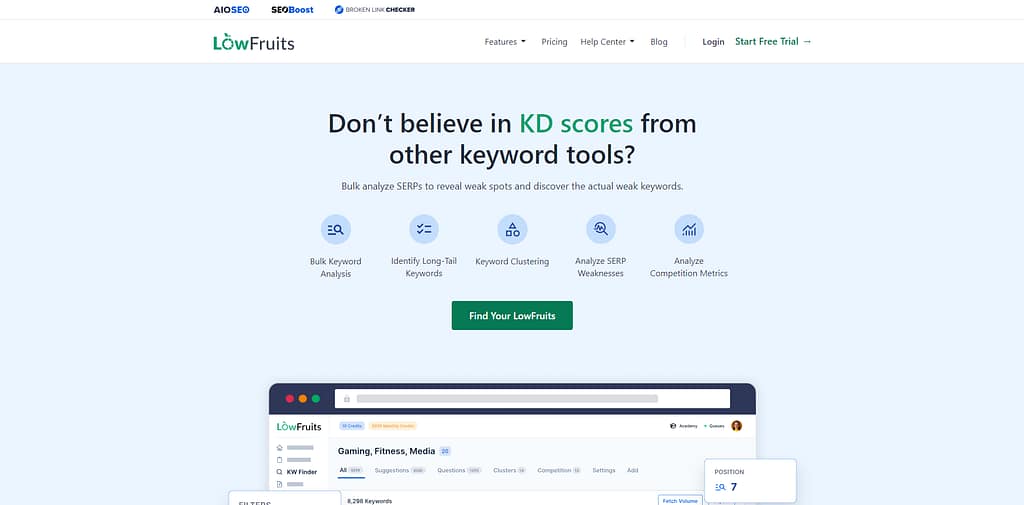
LowFruits scans SERP results to identify opportunities where top-ranking pages are forums (Reddit, Quora), UGC sites, or thin content — marking these as "weak page" targets. LowFruits' credit model: 1 credit scans 10 keyword SERPs for weak-page signals. LowFruits' SERP Clustering groups thousands of keywords by SERP overlap into content clusters.
LowFruits' 5 core keyword research functions are:
- Clusters keywords by SERP similarity to identify topical content groups
- Identifies SERP positions held by weak pages (forums, UGC, thin sites) as low-competition targets
- Analyzes bulk keyword lists and groups them into actionable content clusters
- Extracts keyword ideas from competitor URLs via site-based exploration
- Tracks SERP changes for monitored keywords via the Tracker module
The following image compares LowFruits' pricing plans. LowFruits provides a credit-based free plan with limited monthly credits.
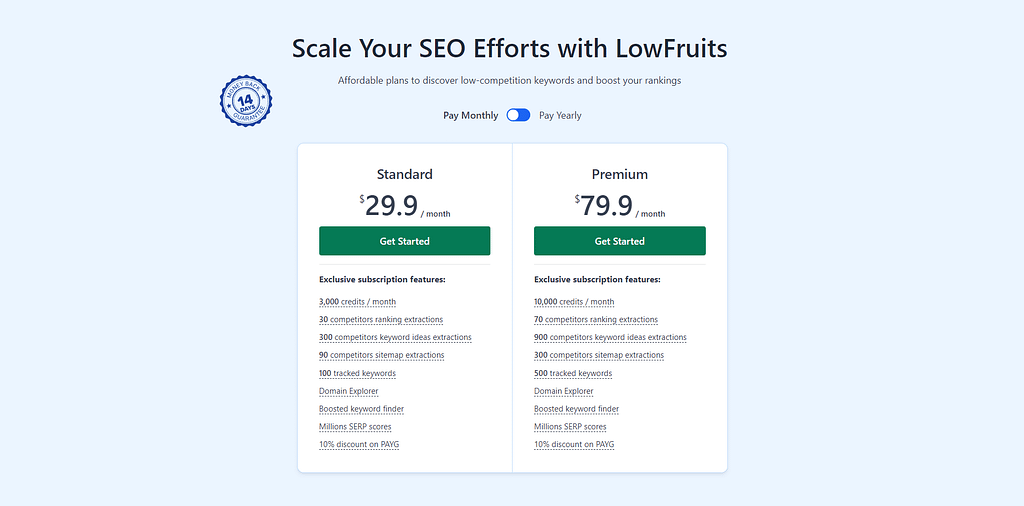
The Growth plan suits content teams running large-scale keyword clustering campaigns of 7,000+ SERP scans per month.
LowFruits strengths: LowFruits' weak-page detection surfaces keyword gaps that Ahrefs and Semrush keyword difficulty scores miss — specifically forum and UGC outranking dedicated content. LowFruits' SERP clustering groups thousands of keywords by SERP overlap in minutes, removing manual grouping work. LowFruits' $29.90/mo Standaed plan provides the most affordable entry for SERP-based competitive analysis.
LowFruits limitations: LowFruits' 7,000 credit Premium plan at $79.90/mo is insufficient for keyword databases exceeding 10,000 keywords per cycle. LowFruits provides no backlink analysis, rank tracking, or technical audit capabilities. LowFruits' weak-page signals vary by location and real-time SERP state.
For content creators: LowFruits' weak-page detection surfaces keyword gaps that standard keyword difficulty metrics from Ahrefs and Semrush do not identify. For agencies: LowFruits clustering groups thousands of keywords by SERP similarity in minutes, replacing manual grouping for large-scale content planning - the LowFruits vs Ahrefs comparison shows which use cases each tool covers.
21. Keyword Surfer - Best Free In-SERP Keyword Data
Keyword Surfer is a free Chrome extension by Surfer SEO that displays monthly search volume, CPC, and keyword suggestions directly within Google search results pages, with $0 cost and no account required (Surfer SEO, 2026).
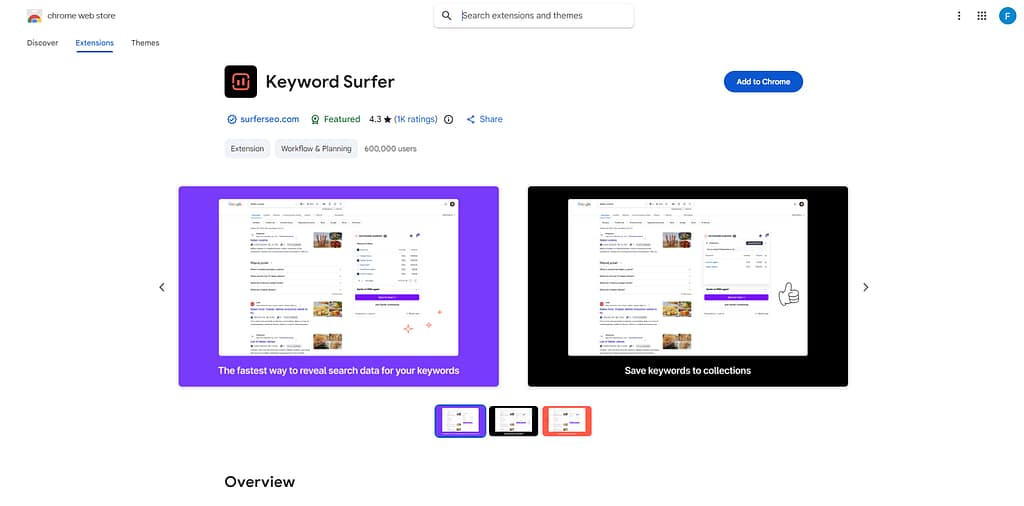
Keyword Surfer overlays search volume and CPC data directly on Google SERP pages, displaying related keyword suggestions in a right-side panel without leaving the search interface. Keyword Surfer is built and maintained by the Surfer SEO team.
Keyword Surfer's 3 core display functions are:
- Displays monthly search volume and CPC for the active search query directly on Google SERP
- Shows related keyword suggestions with volume data in a collapsible SERP panel
- Estimates domain traffic for each organic result appearing on the SERP page
Keyword Surfer strengths: Keyword Surfer provides 0-cost search volume data accessible to any Chrome user with no account registration. Keyword Surfer's SERP-overlay design eliminates tool-switching during keyword research. Keyword Surfer is maintained by the Surfer SEO team and receives regular data updates.
Keyword Surfer limitations: Keyword Surfer is Chrome-only - Firefox, Safari, and Edge users have no compatible version. Keyword Surfer data is sourced from estimated third-party models, not Google's Keyword Planner. Keyword Surfer provides no historical search trend data or year-over-year comparisons - the Surfer SEO platform review covers the full ecosystem this extension belongs to.
Which SEO Tools Work Best by Platform?
The 3 platform-specific SEO contexts with dedicated tool coverage are WordPress, YouTube, and e-commerce.
Which SEO Tools Work Best for WordPress?
The 3 best SEO tools for WordPress are Yoast SEO, Rank Math, and Google Search Console.
The following table compares the 3 WordPress SEO tools on key feature, free version, and paid price.
Yoast SEO leads on on-page optimization; Rank Math leads on schema automation; Google Search Console is mandatory for index monitoring on any WordPress site.
Yoast SEO, Rank Math, and Google Search Console address 3 distinct WordPress SEO functions:
- Optimizes meta titles, descriptions, and readability for every post type (Yoast SEO)
- Generates schema markup for 20+ content types including Article, Product, and FAQ (Rank Math)
- Connects Google Search Console data directly to the WordPress dashboard (Google Search Console)
22. Yoast SEO - Best WordPress SEO Plugin for On-Page Control
Yoast SEO is a WordPress plugin with 5 million+ active installs that analyzes on-page SEO factors including meta tags, readability, and schema markup, with a free version and Yoast SEO Premium at $118.8/year (Yoast, 2026).
Yoast SEO provides real-time on-page analysis for every post and page, scoring meta title length, keyword density, internal linking, and readability. Yoast SEO holds a G2 rating of 4.6/5. Yoast SEO covers meta tags, readability scoring, schema markup, XML sitemaps, and breadcrumb navigation in the free version.
Yoast SEO's 4 core on-page functions are:
- Analyzes meta title and meta description length and keyword inclusion per post
- Scores readability using Flesch Reading Ease and sentence structure analysis
- Generates XML sitemaps automatically for all post types and taxonomies
- Adds Organization and Website schema markup to all WordPress pages
Yoast SEO strengths: Yoast SEO's traffic-light scoring (green/orange/red) provides clear on-page improvement signals accessible to non-technical users. Yoast SEO's free version includes full meta tag control, XML sitemaps, and basic schema markup across 5 million+ installs. Yoast SEO Premium supports content optimization for a focus keyword, synonym, and related keyphrase simultaneously.
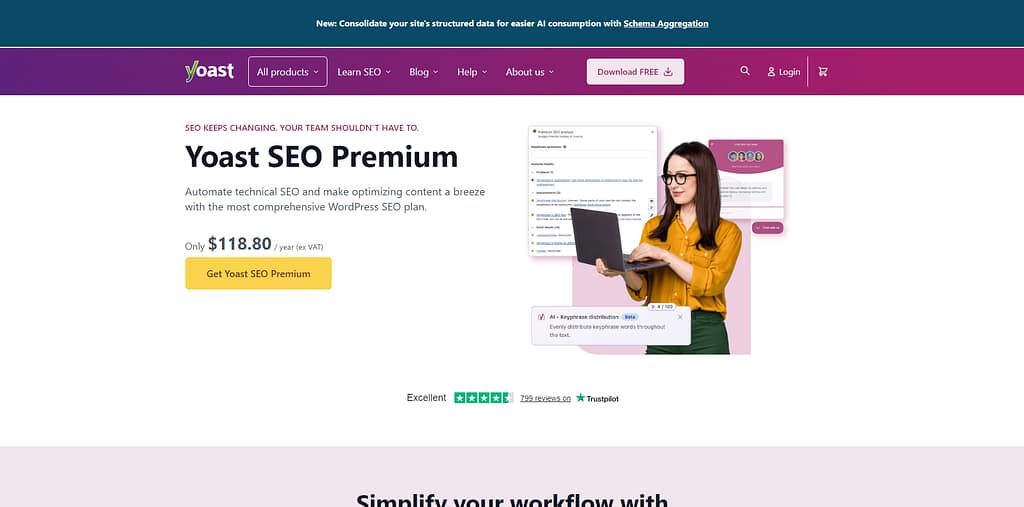
Yoast SEO limitations: Yoast SEO's free version displays promotional notices in the WordPress admin panel that disappear only on paid upgrade. Yoast SEO Premium at $118.8/year is required for the redirects manager and 24/7 support access. Yoast SEO's readability scoring penalizes passive voice usage, a preference that conflicts with some content strategies — the Yoast SEO vs Rank Math comparison covers the feature trade-offs.
23. Rank Math - Best WordPress SEO Plugin for Schema Automation
Rank Math is a WordPress SEO plugin that automates schema markup for 20+ schema types including Article, Product, Recipe, HowTo, and FAQ, with a free version and Rank Math Pro at $108/year (Rank Math, 2026).
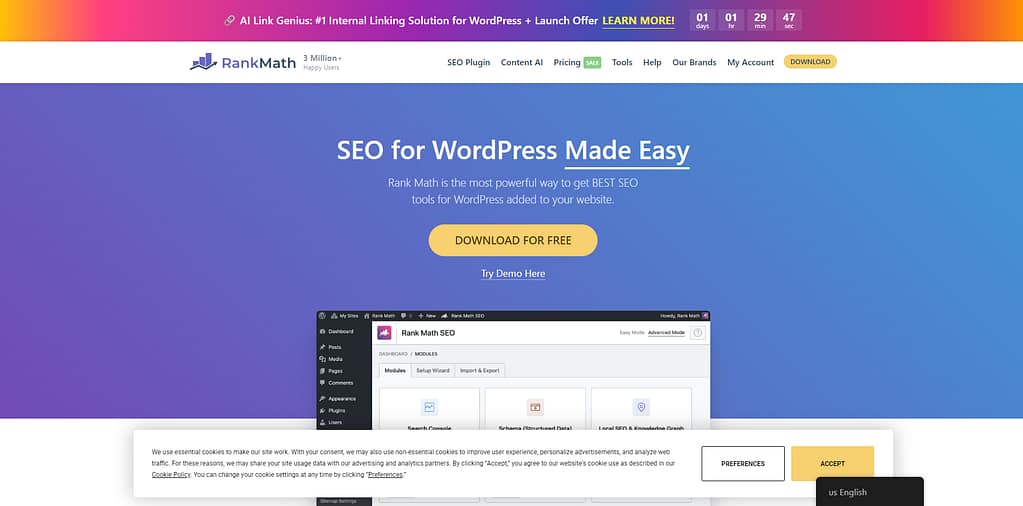
Rank Math provides on-page SEO analysis, schema markup automation, instant indexing via IndexNow, and an integrated Content AI assistant in a single WordPress plugin. Rank Math holds a G2 rating of 4.9/5. Rank Math covers 2 million+ active WordPress installs.
Rank Math's 4 core automation capabilities are:
- Automates schema markup for 20+ schema types including Article, Product, Recipe, and FAQ
- Submits URLs to Google and Bing via IndexNow for immediate crawl requests
- Analyzes on-page SEO factors for up to 5 focus keywords per post (vs. 1 in Yoast free)
- Integrates Google Search Console data directly into the WordPress post edit screen
Rank Math strengths: Rank Math Pro at $108/year is $10/year less than Yoast SEO Premium ($118.80/year) for comparable schema automation coverage. Rank Math supports 5 focus keywords per post on the free plan, compared to Yoast SEO free's 1 focus keyword. Rank Math's IndexNow integration submits changed URLs to both Google and Bing simultaneously for faster indexation.
Rank Math limitations: Rank Math's settings panel provides more configuration options than Yoast SEO, creating a steeper learning curve for beginners. Rank Math's Content AI feature requires credits beyond the $108/year Pro subscription. Rank Math's schema wizard requires understanding of schema types to configure correctly — the Rank Math vs Yoast SEO comparison covers configuration complexity in detail.
Which SEO Tools Work Best for YouTube?
The 2 best SEO tools for YouTube are TubeBuddy and VidIQ, both available as browser extensions with free plans.
The following table compares TubeBuddy and VidIQ on key feature, free plan, and starting price.
TubeBuddy leads on A/B title testing; VidIQ leads on competitor intelligence and trend tracking.
TubeBuddy and VidIQ address 2 distinct YouTube SEO optimization needs:
- Tests multiple video title variations via A/B testing to identify highest-CTR options TubeBuddy vs VidIQ covers the A/B testing difference in detail)
- Tracks competitor channel performance and issues viral alerts for trending topics (VidIQ)
24. TubeBuddy - Best for YouTube A/B Testing
TubeBuddy is a YouTube SEO and channel management extension that adds 50+ creator tools inside YouTube, including Keyword Explorer, SEO Studio, and A/B Testing, with a free plan and paid access starting at $4.99/mo (TubeBuddy, 2026).
TubeBuddy runs as a browser extension layered over YouTube Studio and supports metadata optimization, thumbnail testing, publishing workflows, and channel analytics in one interface. G2 lists TubeBuddy at 4.6/5 from 44 reviews (G2, 2026). TubeBuddy's pricing page positions TubeBuddy for creators moving from a first upload to full-time channel growth.
TubeBuddy's 4 core YouTube optimization functions are:
- Tests video titles and thumbnails through A/B Testing on paid creator tiers
- Scores keyword opportunities with Keyword Explorer and Search Explorer
- Audits metadata and publishing workflows through SEO Studio and Best Practice Audit
- Tracks search positions, click performance, and competitor uploads from within YouTube
TubeBuddy strengths: TubeBuddy's A/B Testing feature measures thumbnail and title changes against live YouTube performance data rather than static SEO suggestions. TubeBuddy's extension workflow keeps keyword research, metadata editing, and optimization checks inside the upload process. TubeBuddy's higher tiers unlock 50+ tools including Click Magnet, Title Generator, and Topical Analysis from one dashboard.
TubeBuddy limitations: TubeBuddy's deepest testing and competitor features sit behind paid tiers rather than the free plan. TubeBuddy covers YouTube only - Google rank tracking, backlink analysis, and technical crawling are absent. TubeBuddy depends on the browser-extension workflow, which limits centralized reporting for multi-user teams.
For creators: TubeBuddy fits channels that publish frequently and test titles or thumbnails as part of every upload cycle. For head-to-head comparison: the TubeBuddy vs VidIQ comparison shows where TubeBuddy's testing workflow differs from VidIQ's competitor-research focus.
25. VidIQ - Best for YouTube Competitor Intelligence
VidIQ is a YouTube growth platform that combines keyword research, competitor tracking, daily idea generation, and AI coaching for creators using a free plan and paid upgrades across browser, web, and mobile workflows (vidIQ, 2026).
VidIQ's homepage states that 20 million+ creators use vidIQ. VidIQ organizes its toolset around keyword discovery, publishing optimization, competitor analysis, and AI-assisted ideation. G2 alternative pages list vidIQ at 4.5/5 from 33 reviews (G2, 2026). vidIQ's feature pages highlight Daily Ideas, Competitors, Scorecard, Trend Alerts, and AI Coach as the core workflow.
vidIQ's 4 core YouTube research functions are:
- Tracks competitor channels and benchmarks performance through Competitors and Scorecard
- Generates Daily Ideas and trend opportunities from current YouTube data
- Identifies keyword and optimization opportunities before videos publish
- Produces scripts, thumbnails, clips, and coaching prompts with built-in AI tools
vidIQ strengths: vidIQ provides broader competitor and trend-monitoring coverage than TubeBuddy's testing-first workflow. vidIQ's Daily Ideas and trend-alert systems reduce idea-generation time for channels publishing on tight schedules. vidIQ's free tier gives creators a low-friction entry point for keyword suggestions and idea discovery.
vidIQ limitations: vidIQ does not match TubeBuddy's emphasis on live A/B title and thumbnail testing. vidIQ's strongest research and AI workflow features sit behind paid tiers. vidIQ focuses on YouTube growth only - technical SEO audits, backlink data, and cross-engine rank tracking are outside vidIQ's scope.
For creators: vidIQ fits channels that rely on trend timing, competitor monitoring, and rapid topic selection. For comparison shoppers: TubeBuddy leads on A/B testing, while vidIQ leads on competitor intelligence and daily topic ideation.
Which SEO Tools Work Best for E-commerce?
The 3 best SEO tools for e-commerce are Semrush, Screaming Frog, and Ahrefs, covering product keyword research, technical crawls, and competitor backlink analysis respectively.
The following table compares the 3 e-commerce SEO tools on primary use case and starting price.
Semrush leads on product keyword research; Screaming Frog leads on crawling large product catalogs with 100,000+ SKUs.
Shopify includes built-in SEO basics (editable meta tags, XML sitemaps, canonical tags); WooCommerce requires Yoast SEO or Rank Math plus a dedicated crawling tool for complete technical SEO coverage - see the best e-commerce SEO tools guide and dedicated Shopify SEO tools list for platform-specific recommendations.
Which AI Assistant Supports SEO Workflows Best?
ChatGPT is the primary AI assistant evaluated for SEO workflow support because ChatGPT drafts, clusters, summarizes, and analyzes content inputs, but ChatGPT does not replace crawl, backlink, or rank-tracking platforms.
26. ChatGPT - Best for Prompt-Based SEO Assistance
ChatGPT is an AI assistant for prompt-based SEO workflows that drafts titles, clusters keywords, summarizes competitor material, and analyzes uploaded files, with a free plan and paid tiers including Plus at $20/mo and Pro at $200/mo (OpenAI, 2026).
ChatGPT supports search, data analysis, projects, custom GPTs, and file-based research across web, mobile, and desktop. G2 Learn's 2026 review reports a 4.7/5 rating backed by 1,000+ G2 reviews. ChatGPT supports SEO research and production tasks, but ChatGPT does not maintain a native backlink index, rank-tracking database, or website crawler.
ChatGPT's 4 core SEO-support functions are:
- Drafts title tags, meta descriptions, briefs, and outlines from structured prompts
- Clusters keyword lists and extracts themes from pasted SERP or analytics exports
- Summarizes spreadsheets, PDFs, and documents through built-in data analysis tools
- Supports repeatable workflows through projects, tasks, search, and custom GPTs
ChatGPT strengths: ChatGPT accelerates blank-page SEO work such as outlining, rewriting, clustering, and summarization faster than most dedicated SEO suites. ChatGPT's file analysis and deep research features turn raw exports into usable briefs and action lists without extra software. ChatGPT Plus at $20/mo undercuts the starting price of most dedicated AI SEO tools in this guide.
ChatGPT limitations: ChatGPT provides no native crawl diagnostics, backlink database, or live rank-tracking coverage. ChatGPT outputs require manual fact-checking because hallucinations still occur in specialized SEO tasks. ChatGPT's SEO value depends on prompt quality and external data inputs rather than first-party search or crawl datasets.
For marketers: ChatGPT fits drafting, clustering, summarization, and research support before work moves into dedicated platforms. For technical SEO teams: dedicated crawlers, rank trackers, and backlink tools remain necessary for live diagnostics and measurement.
Which SEO Tools Are Best for Your Skill Level?
SEO tools are segmented into 3 skill levels: beginner, intermediate, and agency/enterprise.
Which SEO Tools Are Best for Beginners?
The 3 best SEO tools for beginners are Google Search Console, Ubersuggest, and Moz Pro, all offering free plans or low-cost entry tiers below $49/mo.
The following table compares the 3 beginner SEO tools on why they fit beginners and starting price.
All 3 tools have free tiers; Moz Pro's $49/mo Starter plan is the steepest beginner upgrade cost.
Google Search Console provides the non-negotiable baseline - Google's direct search performance data at zero cost. Ubersuggest adds keyword discovery with 3 free searches per day. Moz Pro's onboarding wizard walks new users through a first site audit in under 30 minutes, with Domain Authority providing the simplest authority metric for understanding site strength - the best SEO tools for beginners guide and the Google Search Console setup walkthrough cover the full starter workflow.
Which SEO Tools Are Best for Agencies?
The 3 best SEO tools for agencies are Semrush, SE Ranking, and Screaming Frog, each covering a distinct agency workflow: multi-client reporting, rank tracking, and technical auditing.
The following table compares the 3 agency SEO tools on use case, multi-seat availability, and starting price.
Semrush's Agency Toolkit adds white-label reporting; SE Ranking covers multi-client rank tracking at $240.95/mo less than Semrush Business.
Semrush covers the full multi-channel agency workflow including SEO, PPC, Social, and AI PR - Semrush's Agency Toolkit provides the full breakdown of white-label reporting and client management features. SE Ranking covers rank tracking, content editing, and agency reporting at a lower cost. Screaming Frog provides the most comprehensive technical audit at £149/year per license.
Which SEO Tools Are Best for Small Business?
The 3 best SEO tools for small businesses are SE Ranking, Moz Pro Starter, and Google Search Console - all under $65/mo with core rank tracking and audit features.
The following table compares the 3 small business SEO tools on why they fit small business and starting price.
SE Ranking offers the best feature-to-price ratio; Moz Pro Starter is limited to 1 domain and 50 keyword rankings.
SE Ranking's Essential plan at $65/mo provides daily rank tracking, website audit, backlink monitoring, and keyword research - features requiring $139.95/mo in Semrush. Moz Pro Starter covers 1 domain with 50 keyword rankings, sufficient for local businesses. Google Search Console provides the baseline performance data required for any small business SEO strategy at $0 - the SE Ranking review covers the full feature set for small business workflows.
What Do SEO Tools Cost? Free vs Paid vs Premium
The following table compares 10 SEO tools across 4 pricing tiers - free, starter, mid, and enterprise.
Google-native tools (GSC, GA4, PageSpeed Insights) are 100% free; Semrush Business at $499.95/mo represents the highest subscription cost reviewed.
Semrush vs SE Ranking: Semrush Pro at $139.95/mo provides 55+ tools across 5 categories and a 27.9-billion keyword database. SE Ranking Essential at $129/mo provides the same daily rank tracking frequency with a 3.5-billion keyword database for $10.5/mo less - relevant for budget-conscious SEO workflows.
Clearscope vs Surfer SEO: Clearscope Essentials at $129/mo grades content with an A+ to F letter system and no article quota limit. Surfer SEO Essential at $119/mo provides 15 content editors per month with a numeric score (0-100) and AI writing capability - $10/mo less with an article production quota, making it the leading premium SEO tool for content teams on a per-article budget.
Which SEO Tools Offer the Best Free Plans?
There are 4 SEO tools with meaningful free plans: Google Search Console (unlimited, first-party data), Google Analytics 4 (unlimited), Ubersuggest (3 searches/day), and Keywords Everywhere (credit-based at $10/100K).
The following table compares the 4 best free SEO tool plans on limits and what the free tier provides.
Google Search Console and Google Analytics 4 are the only truly unlimited free SEO tools - both restricted to own-site data and ideal starting points for beginners building their first SEO stack.
Which SEO Tools Are Worth the Premium Price?
The 3 SEO tools that justify premium pricing above $100/mo are Semrush ($139.95+), Ahrefs ($129+), and Clearscope ($129+), each dominating a specific professional workflow with no comparable free alternative.
Semrush at $139.95/mo provides 55+ tools across keyword research, rank tracking, backlink analysis, site auditing, content marketing, PPC research, social media, and AI PR — no single tool matches this breadth. Ahrefs at $129/mo provides a 35-trillion-backlink index with 15–30 minute refresh intervals and a 28.7-billion keyword database - the most accurate backlink data available. Clearscope at $129/mo provides unlimited content optimizations per month with an A+ to F grade system and no article quota - no rank tracking or backlink features included.
Semrush at $139.95/mo provides 55+ tools; Ahrefs at $129/mo provides 5 core research tools with a larger backlink index. Clearscope at $129/mo covers content grading exclusively - with no rank tracking or backlink features included. The best premium SEO tools guide and the Semrush vs Ahrefs pricing breakdown provide the full cost-justification analysis.
What Are the Most Common Questions About SEO Tools?
What Is the Most Effective Tool for SEO?
Semrush is the most effective all-in-one SEO tool, used by 10 million marketers across 142 countries, with a 27.9-billion-keyword database and 55+ tools covering every SEO workflow (Semrush.com, 2026). Semrush's competitive research depth - combining keyword tracking, backlink analysis, site auditing, and AI Copilot automation - provides a complete SEO workflow without additional tool subscriptions, and scales to enterprise teams via the Business plan. Google Search Console is the most effective free tool for site owners with limited budgets, providing Google's direct search performance data across 16 months of history at $0 cost.
Can ChatGPT Do an SEO Audit?
ChatGPT does not perform SEO audits in the technical sense - ChatGPT does not crawl websites, access Google Search Console data, or measure Core Web Vitals. ChatGPT analyzes text inputs only. ChatGPT generates meta descriptions, drafts content outlines, and suggests internal linking structures from text-based inputs. Screaming Frog audits 50+ technical issue types by crawling actual website URLs - a capability ChatGPT does not replicate. Semrush Site Audit detects 130+ technical issues with live crawl data, identifying broken links, duplicate content, and missing schema markup - unlike these dedicated AI SEO tools, ChatGPT requires manual data input for every analysis.
What Is the Best SEO Tool for Beginners?
Google Search Console is the best free SEO tool for beginners, providing direct access to Google's first-party search data including keyword impressions, click-through rates, and indexing status for 0 cost. Moz Pro is the best paid option for beginners at $49/mo Starter plan, with a guided onboarding wizard and Domain Authority metric used in client reports. Ubersuggest is the best freemium option for keyword research with 3 free daily searches covering volume, difficulty, and CPC data - see the Google Search Console setup guide for the recommended first-time configuration.
What Are the 3 C's of SEO?
The 3 C's of SEO are Content, Code, and Credibility - representing the 3 pillars that determine a page's ability to rank in Google Search. Content covers on-page quality and topical relevance, optimized with content marketing SEO tools like Surfer SEO ($119/mo) and Clearscope ($129/mo). Code covers technical SEO including Core Web Vitals and crawlability, audited with Screaming Frog (£149/year) and Google PageSpeed Insights ($0). Credibility covers backlinks and E-E-A-T signals, analyzed with Ahrefs ($129/mo) and Semrush ($139.95/mo).
Can ChatGPT Do SEO?
ChatGPT assists with SEO tasks including keyword clustering, title tag generation, meta description writing, and content outline creation, but ChatGPT does not replace dedicated AI SEO tools for rank tracking, backlink analysis, or technical audits. ChatGPT performs 3 SEO tasks: generating content outlines from topic inputs, clustering keyword lists from text prompts, and drafting meta tags from page descriptions. ChatGPT does not replace 3 dedicated functions: Semrush's 27.9-billion keyword database, Ahrefs' 35-trillion backlink index, or Surfer SEO's AI content optimization for 500+ ranking factors.
What Are the 4 Types of SEO?
The 4 types of SEO are On-Page SEO, Off-Page SEO, Technical SEO, and Local SEO - each addressing a distinct ranking factor category in Google's algorithm. On-Page SEO covers content quality and keyword optimization, managed with Surfer SEO and Yoast SEO. Off-Page SEO covers backlinks and brand mentions, monitored with Ahrefs and Semrush. Technical SEO covers crawlability, page speed, and schema markup, audited with Screaming Frog and Google PageSpeed Insights. Local SEO covers Google Business Profile and local citations, managed with SE Ranking's Local Marketing module and BrightLocal.
What Are the 4 Pillars of SEO?
The 4 pillars of SEO are Technical SEO, On-Page SEO, Off-Page SEO, and Content - the 4 dimensions Google's Quality Rater Guidelines assess for page quality evaluation. Technical SEO as a pillar encompasses complete site infrastructure including crawlability, site speed, and structured data. Screaming Frog addresses Technical SEO; Surfer SEO and Clearscope address the content marketing pillar; Ahrefs addresses Off-Page SEO; Yoast SEO and Rank Math address On-Page SEO.
What Is the Best Free Tool for SEO Audit?
Google Search Console is the best free SEO audit tool, providing index status, Core Web Vitals, manual actions, and mobile usability reports for verified site owners at 0 cost. Bing Webmaster Tools is the second-best free option, covering Bing's 3.3% additional search market share with free site crawl and keyword data. Screaming Frog's 500-URL free crawl provides the most comprehensive technical audit of the 3 free options, identifying 50+ technical issue types including broken links, missing meta tags, and duplicate content - the Google Search Console audit review covers how to use both tools in combination.
Can AI Take Over SEO?
AI does not take over SEO - AI SEO tools automate 3 SEO tasks (content generation, keyword clustering, and technical issue detection) while human expertise remains required for strategy, link building, and E-E-A-T optimization. According to BrightEdge's 2024 research, 57% of enterprise marketers use AI for content creation tasks - not for link acquisition or technical site architecture decisions. Writesonic automates content generation; Scalenut automates keyword clustering; Semrush Copilot automates issue detection - all 3 require human strategic direction to produce ranking improvements, as Surfer SEO's AI content optimization workflow demonstrates.
Can I Learn SEO by Myself?
SEO is learnable independently - Google's free Search Central documentation, Semrush Academy (free), and Ahrefs Academy (free) provide structured curricula covering all 4 SEO pillars without paid coursework. Semrush Academy offers 40+ free courses covering keyword research, technical SEO, and content strategy with Semrush-certified credentials on completion. Ahrefs Academy provides 7 structured video courses covering the Ahrefs platform and SEO fundamentals at no cost. For self-learners: Google Search Console paired with Ubersuggest's 3 free daily searches provides the minimum data toolset for practicing SEO on a live website - the best SEO tools for beginners guide covers the full recommended starter stack.
Which Platform Has the Best SEO?
WordPress has the best built-in SEO capabilities among CMS platforms - WordPress powers 43% of all websites (W3Techs, 2026) and supports 50,000+ SEO-related plugins including Yoast SEO (5 million+ installs) and Rank Math (2 million+ installs), making it the platform with the deepest WordPress SEO plugin ecosystem. Shopify includes native SEO basics - editable meta tags, automatic XML sitemaps, and canonical tag support - but restricts URL structure customization. Wix provides basic meta tag editing and a built-in SEO wizard, but limits technical SEO access compared to WordPress's open plugin architecture.
How Do You Quickly Boost SEO?
The 3 fastest SEO boosts are fixing Core Web Vitals, resolving index coverage errors in Google Search Console, and updating existing top-10 ranking pages with fresh data - each produces measurable ranking changes within 2–4 weeks. Google PageSpeed Insights identifies Core Web Vitals failures (LCP, INP, CLS) with fix recommendations per URL - addressable within 1–2 development sprints using dedicated technical SEO tools. Google Search Console's Coverage Report identifies non-indexed pages and crawl errors - resolvable within 24–48 hours of a valid fix and recrawl request. Surfer SEO's Content Audit identifies top-10 ranking pages with outdated content gaps - a fresh data update produces ranking improvements within 2–4 weeks in competitive SERPs.
What Are the Most Common Questions About AI SEO?
The most common AI SEO question in 2026 is whether ChatGPT replaces dedicated SEO tools - ChatGPT does not replace dedicated AI SEO tools, as ChatGPT lacks access to live SERP data, backlink databases, and website crawling capabilities. Google AI Overviews, introduced in 2025, require brands to appear in AI-generated answer summaries in addition to traditional organic results - a distinct SEO challenge. SE Ranking's AI Results Tracker monitors brand presence in AI Overview results - a capability absent from Semrush's Pro and Guru base plans. Rankscale.ai provides specialized tracking for AI search visibility across ChatGPT, Perplexity, and Gemini, addressing the GEO (Generative Engine Optimization) discipline that defines SEO in 2026. The best SEO tools for AI search visibility are SE Ranking (AI Results Tracker), Writesonic (GEO Dashboard), and AirOps (Citation Gap Analysis).